Sight Fighter Digital Plus
9
3.3 Software installation
Note: Continue at point 3 if the game pad has been installed onto the USB port.
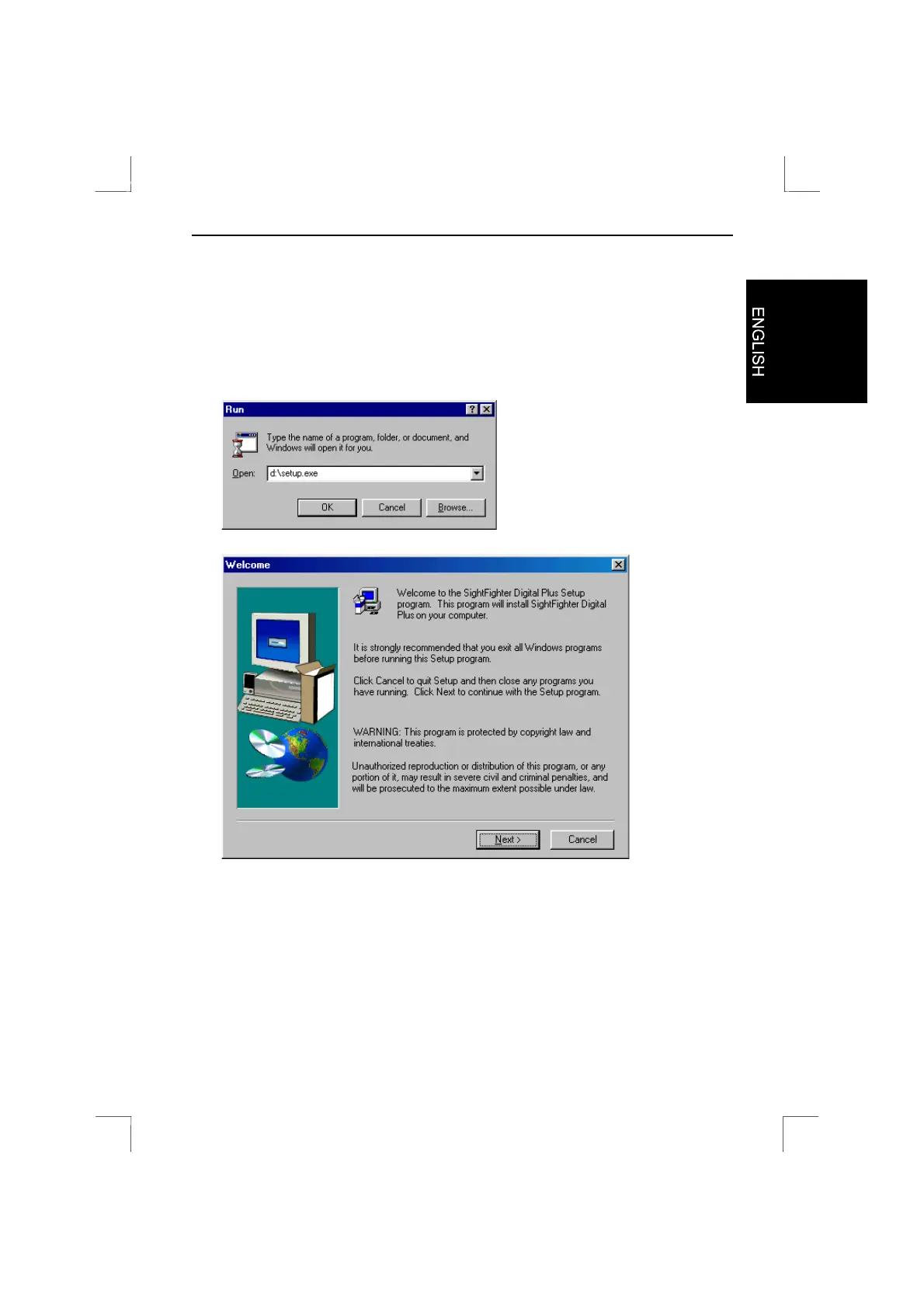
1. Click on 'Start' and select 'Run'.
2. In the command line, type 'd:\setup.exe' and click on 'OK' (figure 7).
Figure 8 will appear.
Figure 7: Starting the installation
Figure 8: Welcome screen


 To Next Page