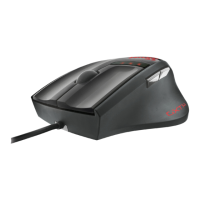
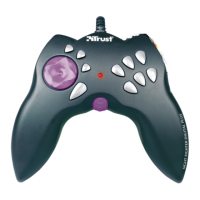
Sight Fighter Digital Plus
2
1. Introduction
This manual is intended for users of the Trust Sight Fighter Digital Plus. No specific
prior knowledge is needed to install and use this product.
If you have any questions after reading this manual, please contact one of the
Trust service centres. You will find information on the service centre nearest to
you at the back of this manual. You can also visit the Trust website
(
www.trust.com
) for support, comprehensive product information, drivers, and
FAQs (Frequently Asked Questions).
1.1 Conventions used in this manual
The following conventions have been used in this manual to indicate instructions:
<
key
> Here you should press a key. The name of the key is given between
brackets.
‘
System
’ This is a specific term used in a program. These are the terms used
by, for example, Microsoft Windows 98.
[
DIR
] Key in the text shown in square brackets [….].
(term)
The text between the parentheses (….) is the English term, e.g.
(File) used in the figure referred to.
Additional information will be shown as follows:
Note: The USB connection for the Sight Fighter Digital Plus only works in
Windows 98.
The example assumes that the letter “D” has been assigned to your CD-ROM drive. If
your system uses a different drive letter for your CD-ROM drive, for example “E”, you
should replace “D” by “E”.


 To Next Page