Sight Fighter Digital Plus
16
2.
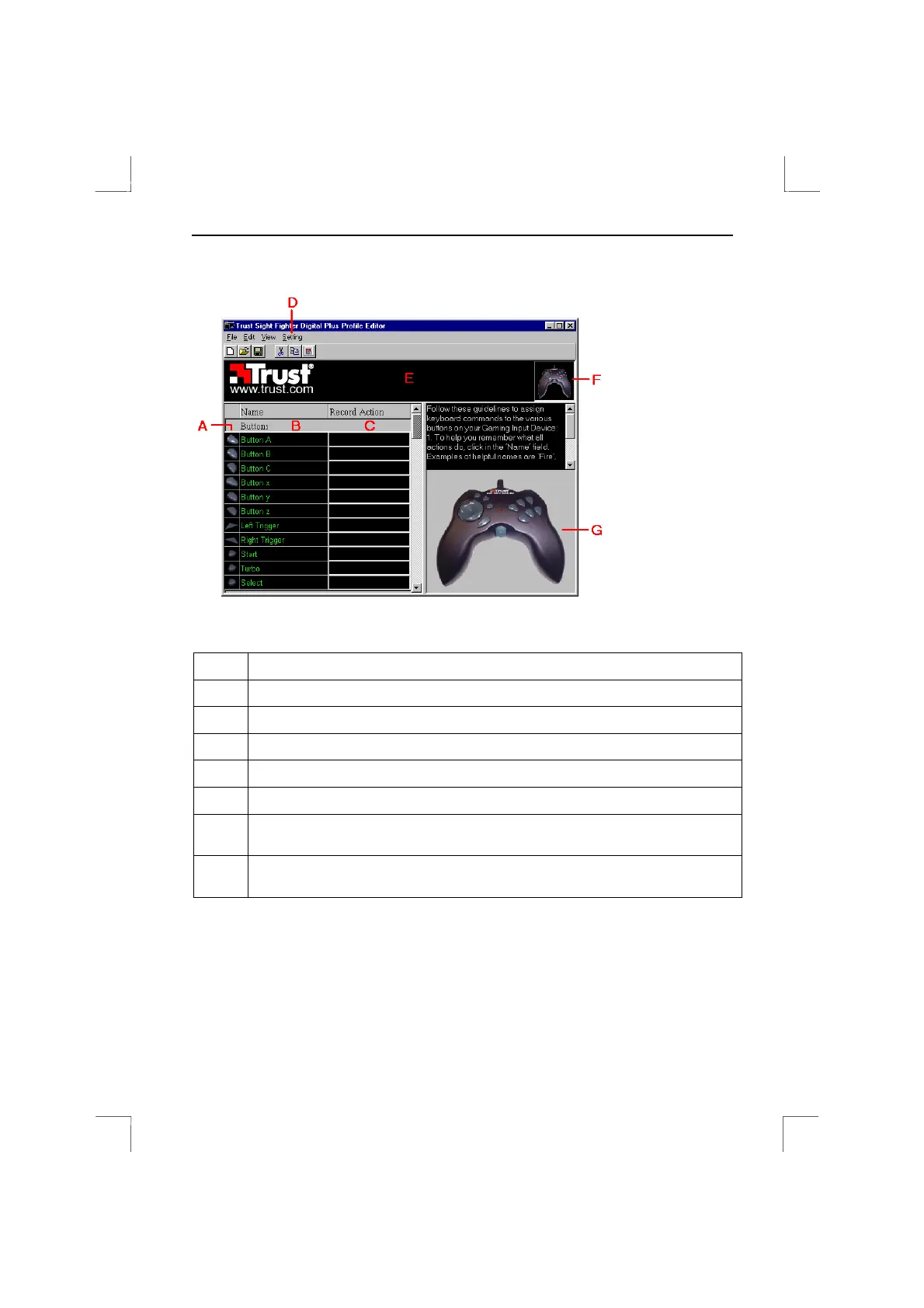
Click on 'Utility' in the menu bar and select 'Profile Editor'. Figure 19 will appear.
Figure 19: Profile Editor for the Sight Fighter Digital Plus
Letter Short description
A
The various buttons. Lights up yellow if the button is programmed.
B
Name of the button. Can be changed to a name of your choice.
C
Programmed button combinations are shown here.
D
Request extra setting menu.
E
Status bar (figure 20) is shown here when programming buttons.
F
Status window. Contains a red line if the game pad does not work properly.
(see chapter 7).
G
Game pad. Click on one of the buttons to program it. The button lights up
yellow.
Table 2: Description of figure 19


 To Next Page