S1/S2 Assembly Instructions – Rev N Page 13
7. UTILITY BOX AND CABLING INSTALLATION
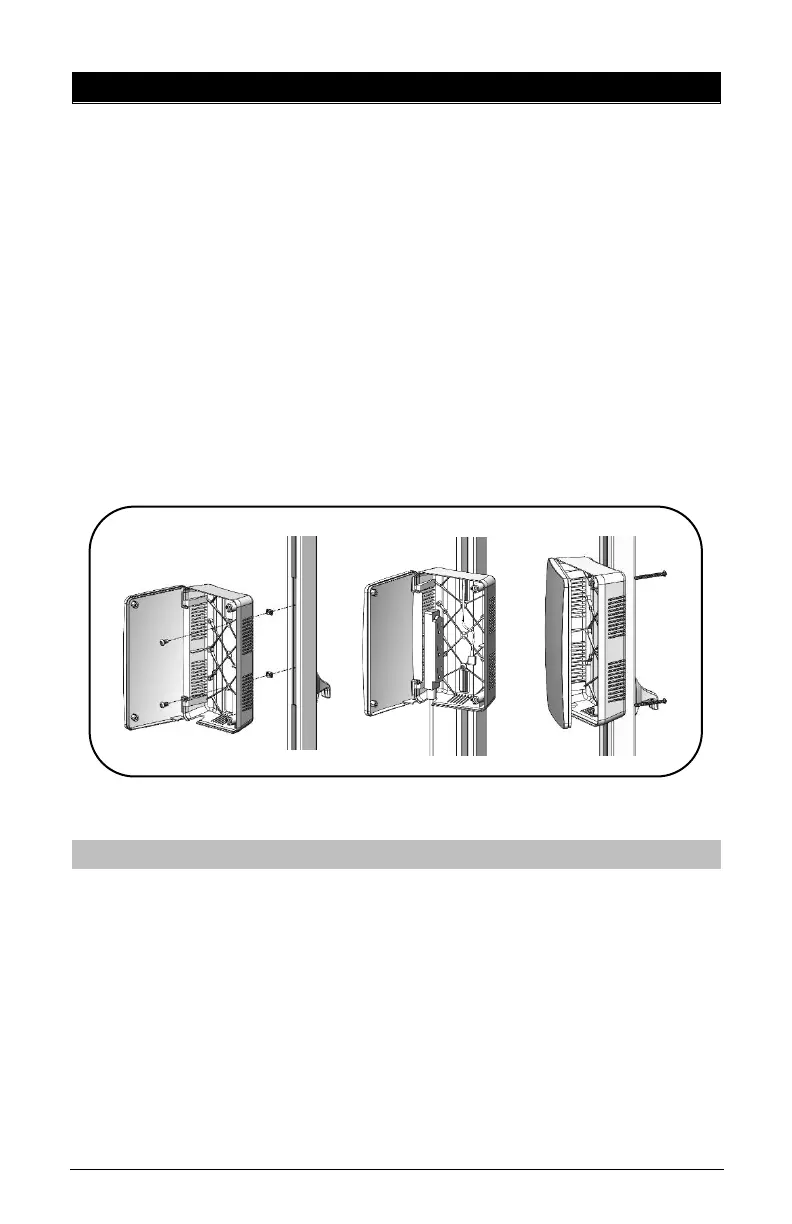
• Install Utility box by loosening Z-Nuts, insert Z-Nuts into
extrusion channel, slide box up or down to desired height
and tighten screws.
• Open box by using Torx Security L-Key, loosen two (2)
screws from the back of the Utility Box until cover swings
open.
• Install 9’ Green Dot Hospital Grade Power Extension Cable
as shown (see middle image).
• Install tablet’s power cable through hole and up the
channel as shown.
• Close door back in place and re-install the screws from
back.
•
When the cart is not in use, or tablet is not being charged, the
extension cord should be wrapped and stored on the unit. Wrap
the cable firmly around the upper handle and lower handle cord
wraps located on the back of the unit pole.



 To Next Page