S1/S2 Assembly Instructions – Rev N Page 15
9. WORK SURFACE INSTALLATION
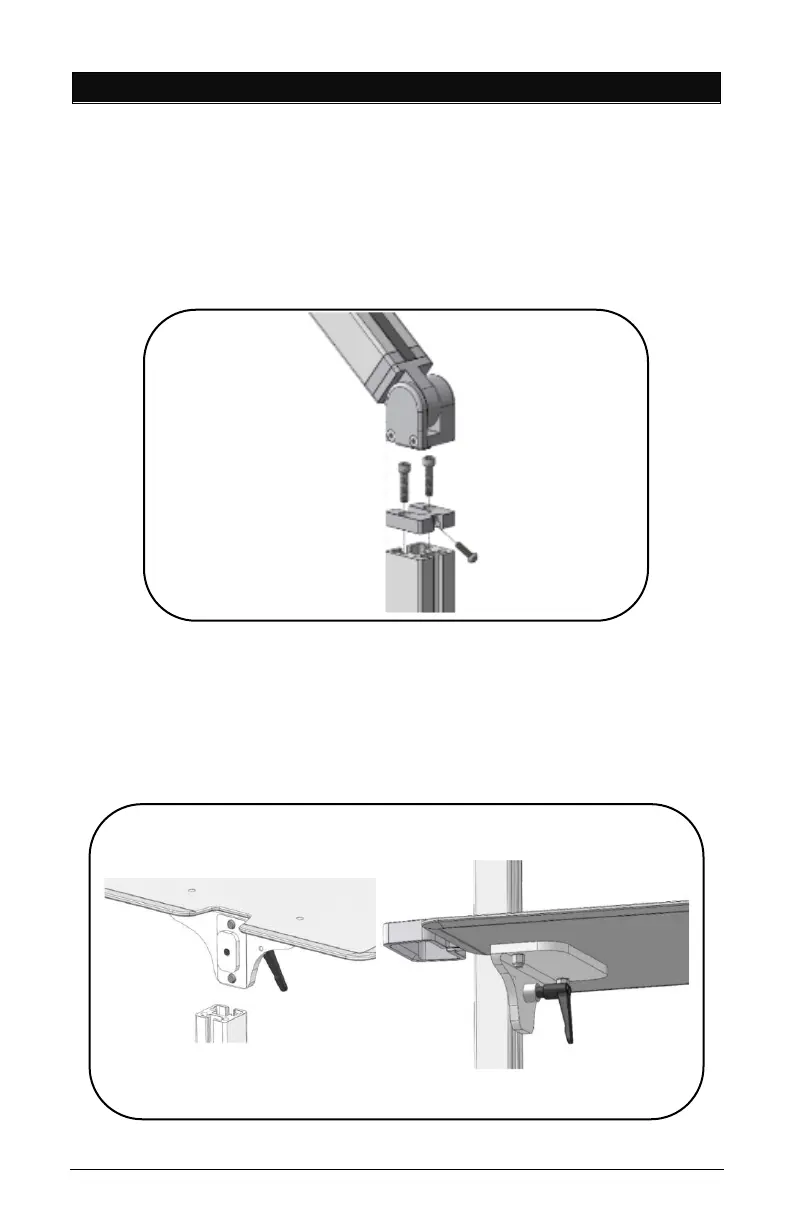
• Remove channel cover strip (ref. point 5).
• Remove articulating arm or tall pole with one (1) screw
using Torx Security L-Key provided in hardware pack.
• Remove extrusion adapter by removing two (2) 1/4”
screws with 3/16” Hex L-Key provided.
• Slide Work Surface down from top and secure at desired
height (ref. point 8).
• Reinstall Extrusion Adapter and Arm.



 To Next Page