S1/S2 Assembly Instructions – Rev N Page 16
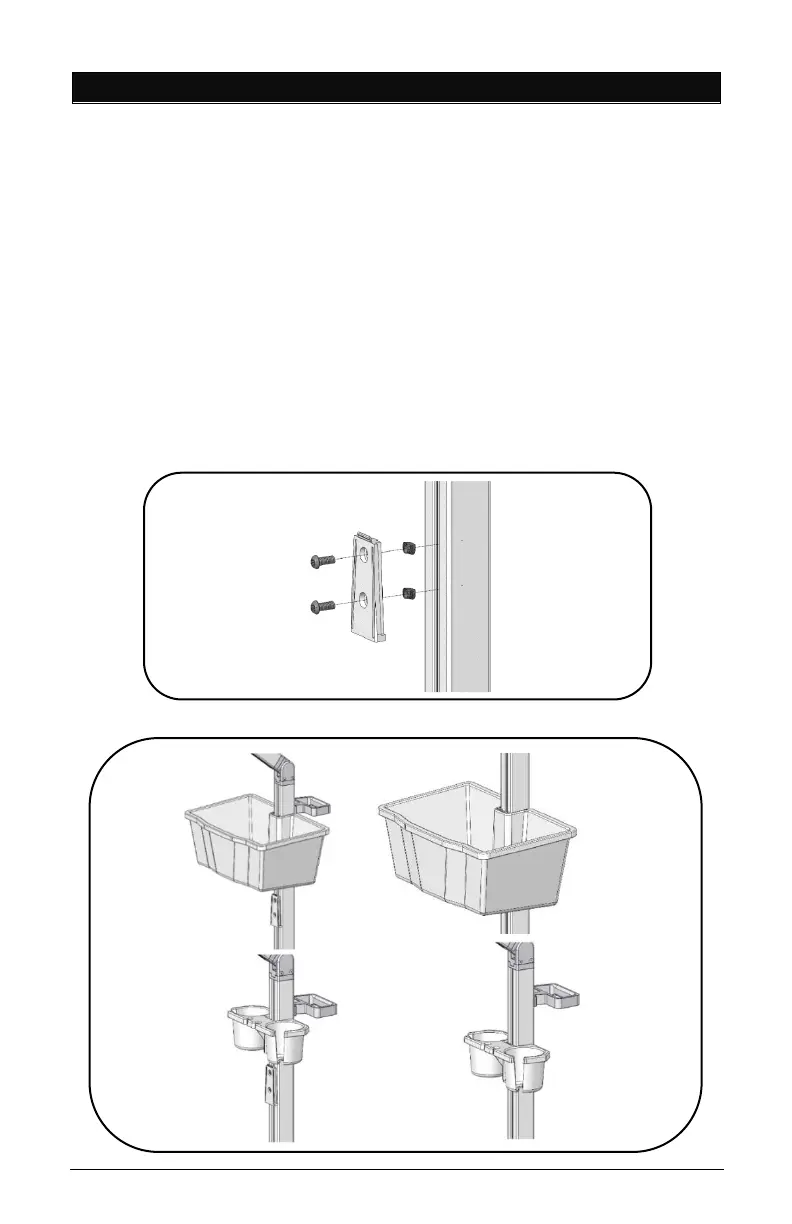
10. SUPPLY CADDY & SMALL DEVICE HOLDER INSTALLATION
The Supply Caddy and Small Device Holder each come in two (2)
parts – the Caddy/Holder and the Mounting Bracket and
Hardware to attach to the pole.
• Remove channel cover strip (ref. point 5).
• Install Caddy/Holder bracket with two (2) 1/4” Screws and
two (2) Z-Nuts as shown below with 5/32” L-Key provided
in hardware pack.
• Adjust bracket to desired height and tighten screws.
• Slide the Supply Caddy or Small Device Holder onto the
Mounting Bracket from above until it snaps in place.



 To Next Page