S1/S2 Assembly Instructions – Rev N Page 21
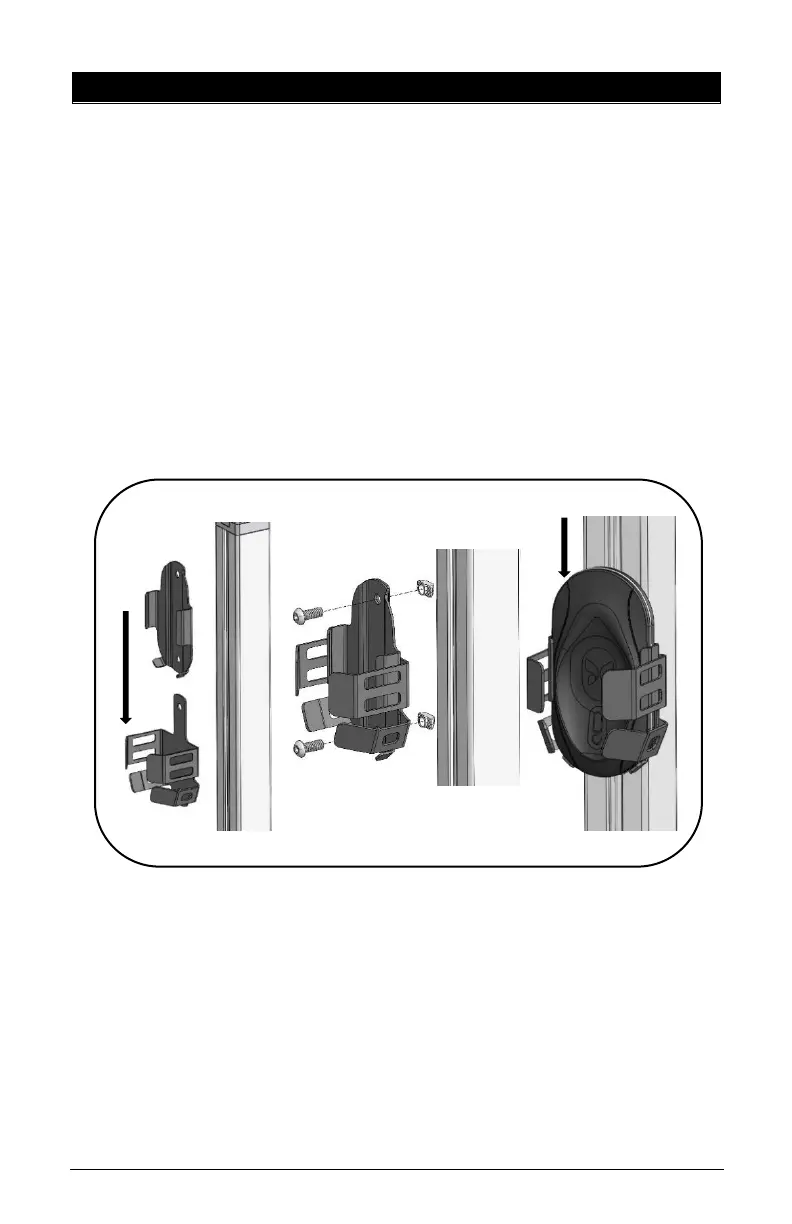
15. BUTTERFLY BRACKET INSTALLATION
• Remove channel cover strip (ref. point 5).
• Slide inner bracket into outer bracket until the two (2)
screw holes line up.
• Insert two (2) screws into holes and thread two (2) nuts
onto the two (2) screws but keep loose.
• Place Z-Nuts into the extrusion channel, move bracket up
or down to desired height.
• Tighten bracket to extrusion with two (2) screws and two
(2) Z-Nuts.
• Slide charger onto bracket until firmly in place.



 To Next Page