S1/S2 Assembly Instructions – Rev N Page 19
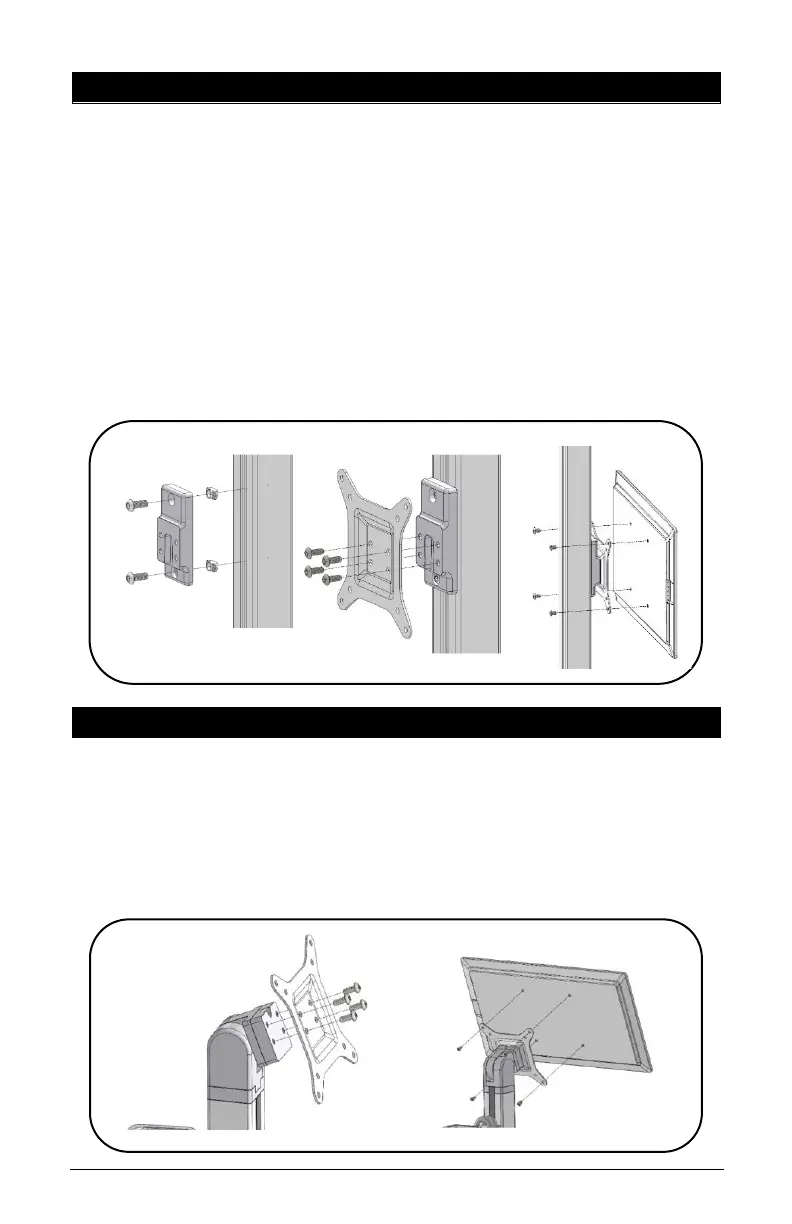
11. FIXED VESA BRACKET & MONITOR INSTALLATION
• Remove channel cover strip (ref. point 5).
• Install bracket to extrusion with two (2) screws and two (2)
Z-Nuts.
Note: Ensure the thicker section of the bracket is
mounted at the top.
• Install VESA plate to bracket with four (4) button head
screws.
• Install Monitor to VESA plate with four (4) mounting
screws (not included).
12. S2 VESA PLATE INSTALLATION
• Install VESA Mount Plate to adapter with four (4) Button-
Head Screws.
• Install monitor or device to VESA Plate with four (4)
mounting screws (not included).



 To Next Page