S1/S2 Assembly Instructions – Rev N Page 9
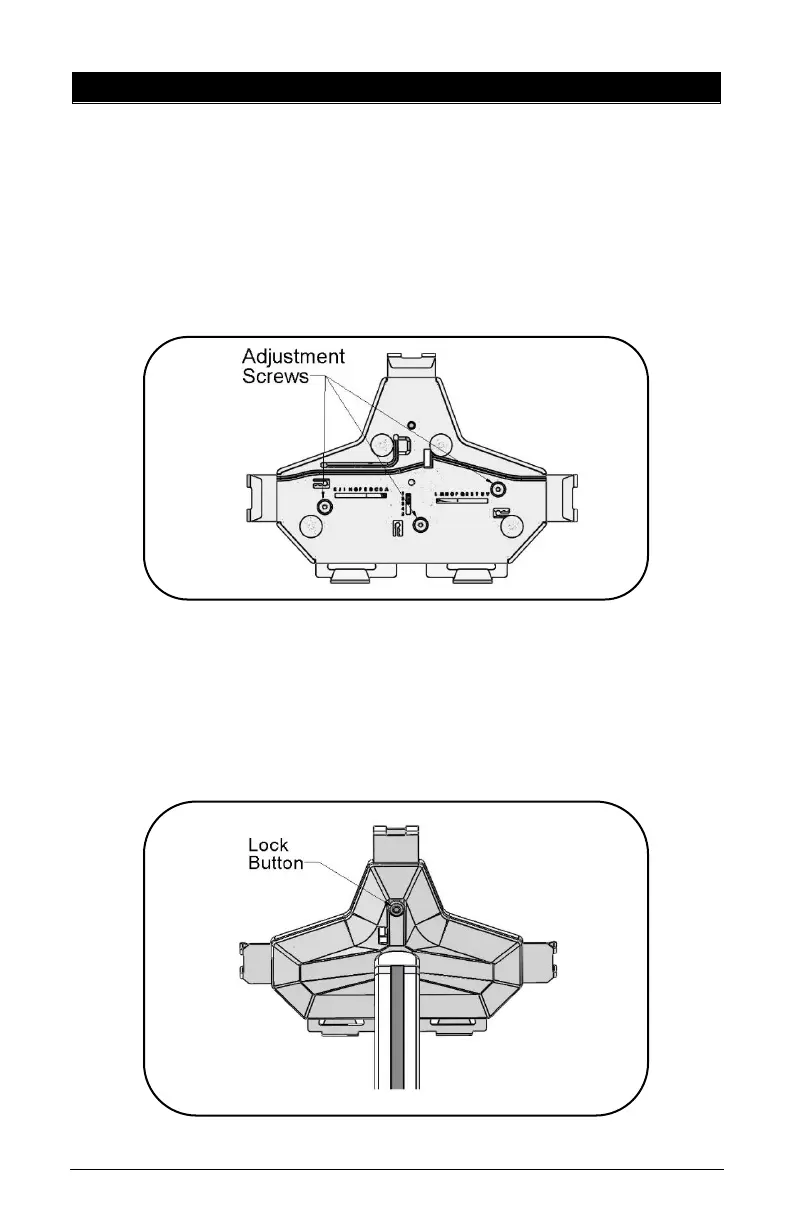
4. A) UNIVERSAL OMNITAB ADJUSTMENT
The Universal bracket comes adjusted to fit the standard iPad 9.7
• Unlock the Top Slider using the set of keys from the
Hardware Pack. Remove the Top Slider from the Universal
Bracket.
• Loosen the three (3) screws using the 1/8” Hex L-Key from
the front of the cover.
• Pull the sliders to the appropriate size tablet.
• Tighten the three (3) adjustment screws.
• Insert tablet by sliding in from the top.
• Insert the Top Slider until it locks in the tablet and push
the locking button.



 To Next Page