S1/S2 Assembly Instructions – Rev N Page 10
4. (B) INSTALLING 2
ND
SET OF SLIDERS FOR TABLET WITH
CASE
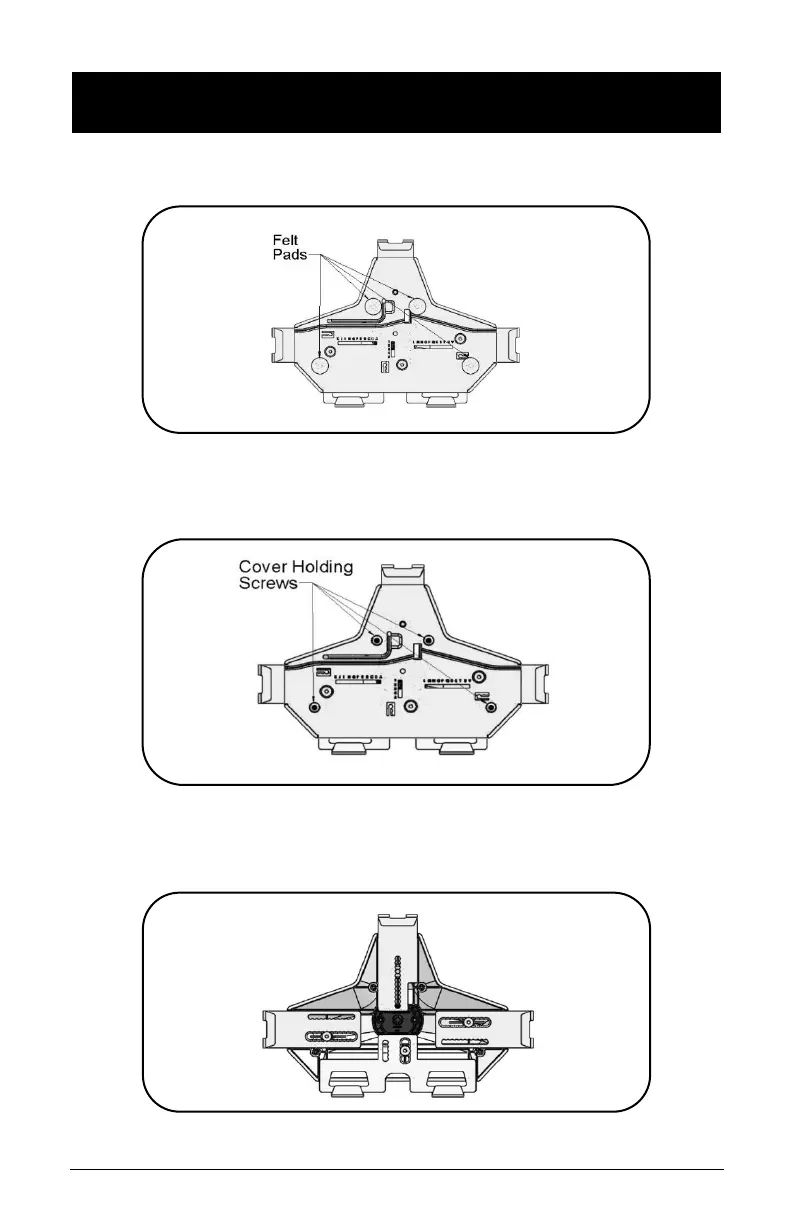
• Remove the four (4) Felt Pads from the Universal Bracket.
• Remove the four (4) screws holding the cover of the
Universal Bracket using the 1/8” Hex L-Key from the front
of the cover.
• Remove cover and the three (3) screws holding the sliders
using the 1/8” Hex L-Key from the front of the cover.



 To Next Page