S1/S2 Assembly Instructions – Rev N Page 12
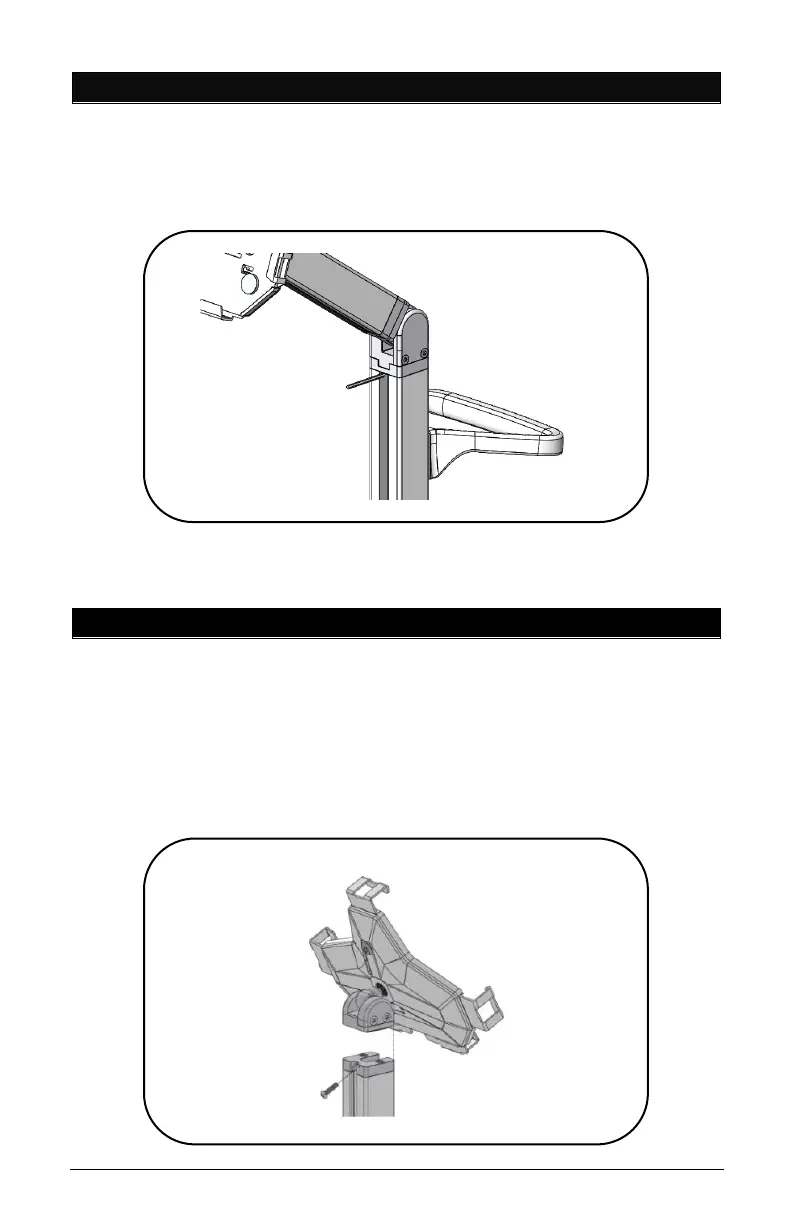
5. REMOVING THE CHANNEL STRIPS
• Insert one (1) of the smaller Allen L-Keys behind the top of
the channel cover to pull out of the pole. Reinstall covers
after the power cords are in place.
Note: Channel Cover Strips will need to be adjusted if
accessories are installed.
6. S2 UNIVERSAL OMNITAB INSTALLATION
• Extract the S-Series head from packaging box and the Torx
Security Button Head Screw from the Hardware Pack.
• Assemble the S-Series head as shown using the Torx
Security L-Key provided in the Hardware Pack.
• Tighten the screw until it is fully engaged.



 To Next Page