S1/S2 Assembly Instructions – Rev N Page 23
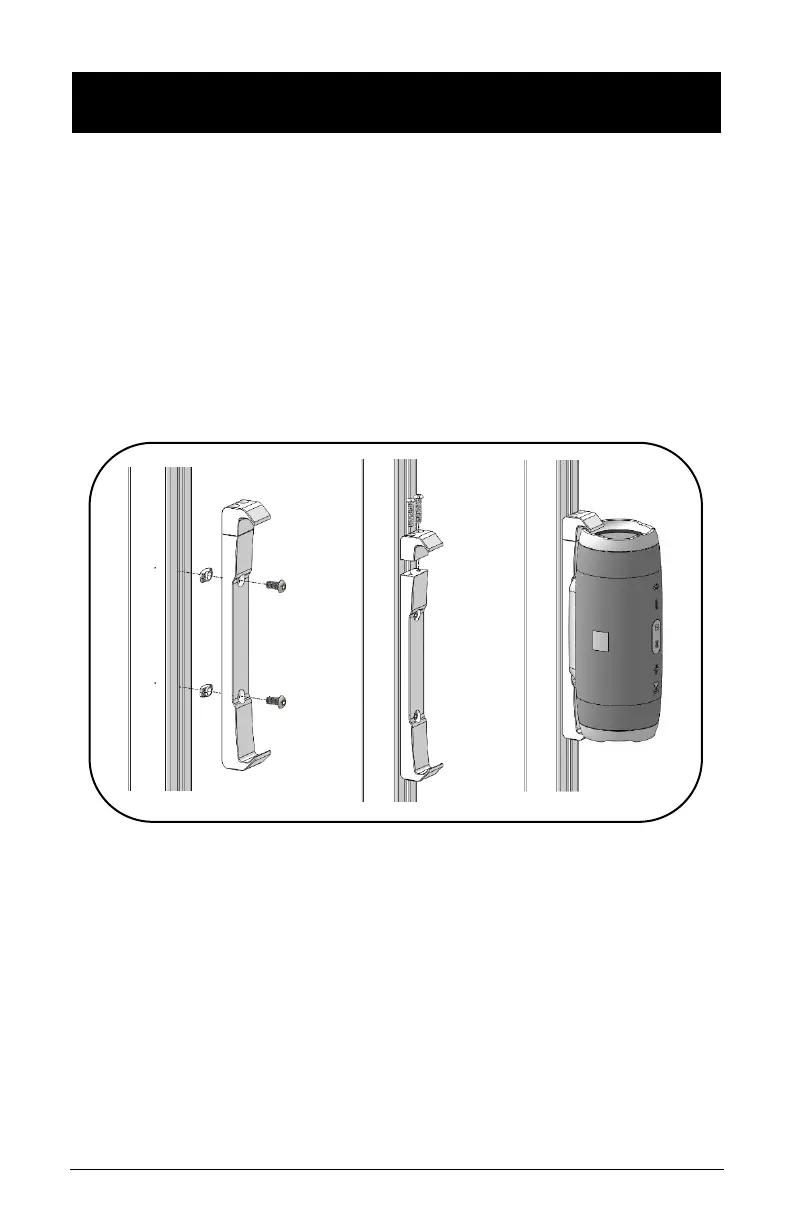
17. JBL CHARGE 4/5 AND FLIP 4/5 – BRACKET & SPEAKER
INSTALLATION
• Remove channel cover strip (ref. point 5).
• Install JBL Charge bracket to extrusion with two (2) screws
and two (2) Z-nuts.
• Remove screws and cap using Torx Security L-Key
provided.
• Install speaker by sliding speaker ledge into bracket lip.
• Re-install cap and screw using Torx Security L-Key
provided.



 To Next Page