
 Need help?
Do you have a question about the TSC MH261T Series and is the answer not in the manual?
 General
| Brand | TSC |
|---|---|
| Model | MH261T Series |
| Category | Barcode Reader |
| Language | English |
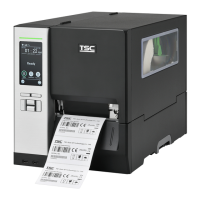
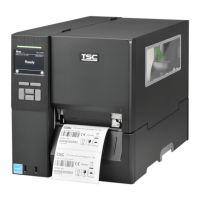
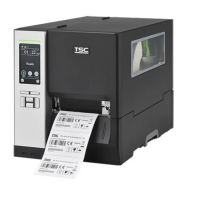
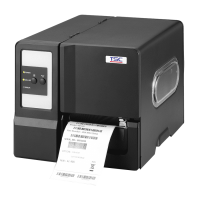
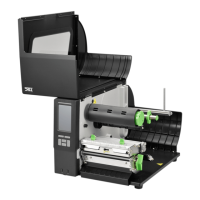
An overview of the MH261T/MH361T Series thermal transfer bar code printers.
Detailed technical specifications and features for the MH261T and MH361T models.
Guide to unpacking and inspecting the printer and its included accessories upon receipt.
Identification of external components and controls visible on the printer's front panel.
Diagram and labeling of the printer's front components and controls.
A detailed diagram illustrating and labeling the printer's internal mechanisms and parts.
Diagram showing rear panel connections and ports of the printer.
Explanation of LED status indicators and the functions of the printer's physical control keys.
Explanation of LED status indicators and the functions of the printer's physical control keys.
Interpretation of icons displayed on the LCD control panel and their meanings.
Instructions for navigating and interacting with the printer's touch-sensitive LCD interface.
Procedures for the initial physical setup and connection of the printer to a power source and host.
A step-by-step guide on how to correctly install a ribbon into the printer.
Instructions for safely removing a spent ribbon from the printer.
Detailed guide for loading various types of media rolls and labels into the printer.
Specific instructions for loading fan-fold media into the printer.
Guide for loading media when using the optional peel-off feature for label dispensing.
How to adjust the print head pressure for optimal print quality on different media.
Techniques for adjusting internal mechanisms to prevent ribbon wrinkling during printing.
Procedures for accessing the printer's main menu via touch panel or physical keys.
A summary of the six main functional categories available within the printer's menu system.
Configuration options for printer settings when using the TSPL command set.
Configuration options for printer settings when using the TSPL command set.
Configuration options for printer settings when using the ZPL2 command set.
Process for automatically calibrating the printer's media gap and black mark sensors.
Process for automatically calibrating the printer's media gap and black mark sensors.
Manual setup, threshold detection, max length, and advanced sensor configurations.
Configuration settings for the RS-232 serial communication interface.
Configuration settings for the RS-232 serial communication interface.
Settings and status check for the printer's Ethernet network connection.
Management of Bluetooth status, local name, and PIN code settings.
Configuration and status management for the Wi-Fi wireless network interface.
Settings for the General Purpose Input/Output (GPIO) interface for external device control.
Configuration of language, display brightness, date, and time.
Configuration of language, display brightness, date, and time.
Accessing printer information, performing initialization, and touchscreen calibration.
Calibrating the touchscreen for accurate input response.
Setting passwords, managing ribbon warnings, and print head care procedures.
Configuring key sound and accessing technical support contact information.
Managing files stored in the printer's DRAM memory.
Managing files stored in the printer's DRAM memory.
Managing files stored in the printer's Flash memory.
Managing files stored on the SD card installed in the printer.
Printing printer configuration details and a print head test pattern for diagnostics.
Printing printer configuration details and a print head test pattern for diagnostics.
Capturing and printing communication port data for debugging purposes.
Checking print head temperature, resistance, and bad dots for performance.
Checking the status of the printer's display and sensor readings.
Guide to customizing the printer's menu by adding frequently used settings to Favorites.
Methods and tools for cleaning printer components to ensure optimal performance.
Procedures and recommendations for safely disinfecting the printer.




 To Next Page