EasyManua.ls Logo

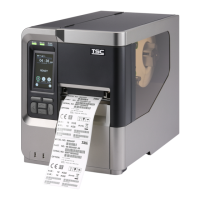
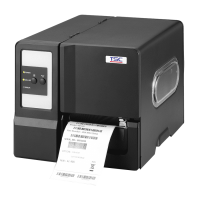
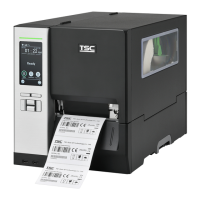
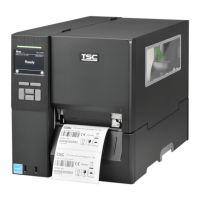
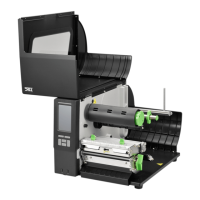
TSC MX341P Series - User Manual

TSC MX341P Series
73 pages
Print Icon
To Next Page IconTo Next Page
Loading...
USERS
MANUAL
MX241P/ MX341P/ MX641P Series
THERMAL TRANSFER / DIRECT THERMAL
BAR CODE PRINTER

Questions and Answers

  • S
    Stacy SmithSep 9, 2025
    Why is the RTC time incorrect when I reboot my TSC MX341P?
    • M
      Matthew BrownSep 9, 2025
      If the RTC time is incorrect after rebooting your TSC Barcode Reader, the battery may have run down. Check if there is a battery on the main board.
  • T
    tammy94Aug 23, 2025
    Why is my TSC Barcode Reader printing with poor quality?
    • A
      Alex FisherAug 23, 2025
      Poor print quality on your TSC Barcode Reader can be caused by several factors: * The ribbon and media may be loaded incorrectly. Reload the supply. * There may be dust or adhesive accumulation on the print head. Clean the print head. * The print density may not be set properly. Adjust the print density and print speed. * The printhead element may be damaged. Run a printer self-test to check the print head test pattern for missing dots. * The ribbon and media may be incompatible. Change to a proper ribbon or label media. * The printhead pressure may not be set properly. Adjust the printhead pressure adjustment knob.
  • C
    Carl ChoiAug 25, 2025
    What to do if my TSC Barcode Reader has a paper jam?
    • S
      Spencer ChapmanAug 25, 2025
      If your TSC Barcode Reader is experiencing paper jams: * The gap/black mark sensor may not be set properly. Calibrate the media sensor. * The label size may not be set properly. Set the media size correctly. * Labels may be stuck inside the printer mechanism. Remove any stuck labels.
  • S
    Samantha RiversAug 26, 2025
    Why does my TSC Barcode Reader skip labels when printing?
    • S
      Steven SmithAug 27, 2025
      Skipping labels during printing with your TSC Barcode Reader can occur due to: * Incorrect label size specification. Check if the label size is set up correctly. * Improper sensor sensitivity settings. Calibrate the sensor using Auto Gap or Manual Gap options. * Dust covering the media sensor. Clear the GAP/Black mark sensor with a blower.
  • M
    marquezjeremyAug 28, 2025
    How to fix wrinkle problem with TSC MX341P?
    • F
      frobertsAug 28, 2025
      Wrinkles during printing with your TSC Barcode Reader may be due to: * Incorrect printhead pressure. Set the suitable density for good print quality. * Incorrect media feeding. Ensure the label guide touches the edge of the media guide.
  • Y
    yjohnsonAug 29, 2025
    What to do if my TSC Barcode Reader has no print on the label?
    • A
      allenevelynAug 29, 2025
      If your TSC Barcode Reader is not printing anything on the label: * The label or ribbon may be loaded incorrectly. Follow the instructions for loading the media and ribbon. * You may be using the wrong type of paper or ribbon. Verify the ribbon-inked side. * The print density setting may be incorrect.
  • G
    ghuntSep 18, 2025
    What to do if my TSC MX341P's SD card is unable to use?
    • R
      rbriggsSep 18, 2025
      If your TSC Barcode Reader is unable to use the SD card: * The SD card may be damaged. Use a supported capacity SD card. * The SD card may not be inserted correctly. Insert the SD card again. * You may be using a non-approved SD card manufacturer. The supported SD card spec and the approved SD card manufacturers, please refer to section 2.2.3.
  • M
    Michael OrtizSep 18, 2025
    Why is the power indicator off on my TSC MX341P Barcode Reader?
    • M
      Maria ThomasSep 22, 2025
      If the power indicator on your TSC Barcode Reader does not illuminate, the power cord is not properly connected. Plug the power cord in printer and outlet. Switch the printer on.
  • H
    haasmarkSep 8, 2025
    What to do if my TSC Barcode Reader can’t download the file to memory?
    • T
      Tommy CortezSep 8, 2025
      If your TSC Barcode Reader can’t download files to memory (FLASH / DRAM/CARD), it is likely because the memory is full. Delete unused files in the memory.
  • J
    Joseph WilsonSep 4, 2025
    How to fix irregular printing on TSC MX341P Barcode Reader?
    • J
      Joseph BrownSep 4, 2025
      Irregular printing on your TSC Barcode Reader can be caused by: * The printer being in Hex Dump mode. Turn the printer off and on to skip the dump mode. * Incorrect RS-232 settings. Re-set the Rs-232 setting.

Summary

Setup Guide

3.2 Loading the Ribbon

Procedure for opening printer and installing ribbon onto supply and rewind spindles.

3.3.1 Loading the Media

Basic procedure for loading media, including opening cover and placing media roll on supply spindle.

3.3.2 Loading the Fan-fold;External Media

Loading fan-fold media through bottom or rear external label entrance chute.

Print Head Pressure Adjustment

4.1 Mechanism Adjustment for Ribbon Wrinkles

Adjusting print head pressure to prevent ribbon wrinkles, addressing specific wrinkle patterns.

Ribbon Tension Adjustment

5.1 Ribbon Tension Adjustment Suggestions

Recommendations for adjusting ribbon tension based on ribbon width for optimal print quality.

TSC Printer Management Tool

6.3 TPH Care Function

Describes TPH Care function for checking print head condition and setting failure dot thresholds.

LCD Menu Navigation and Settings

Troubleshooting Guide

Common Problems and Solutions

Lists common printer problems and provides step-by-step recovery procedures for each.

Maintenance Procedures

Printer Cleaning and Care

Instructions on cleaning print head, platen roller, and other printer parts using appropriate materials.

TSC MX341P Series Specifications

General IconGeneral
Resolution203 dpi
ModelMX341P
Print MethodThermal Transfer and Direct Thermal
InterfaceUSB, Ethernet
Operating Temperature5 ~ 40°C (41 ~ 104°F)
Storage Temperature-40 ~ 60°C (-40 ~ 140°F)
Humidity20% to 85% RH (non-condensing)
Electrical Specifications100-240V AC, 50/60Hz

Related product manuals