EasyManua.ls Logo

TSC MX641P Series - User Manual

TSC MX641P Series
73 pages
Print Icon
To Next Page IconTo Next Page
Loading...
USERS
MANUAL
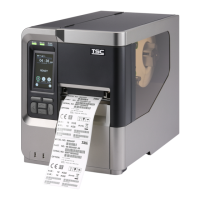
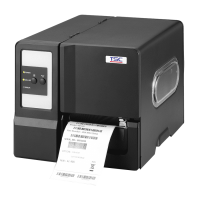
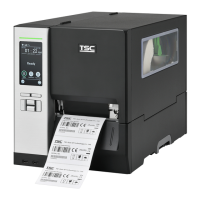
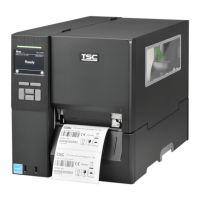
MX241P/ MX341P/ MX641P Series
THERMAL TRANSFER / DIRECT THERMAL
BAR CODE PRINTER

Questions and Answers

  • V
    vbradfordSep 9, 2025
    Why is the RTC time incorrect when I reboot my TSC Barcode Reader?
    • S
      Steven WalkerSep 9, 2025
      If the RTC time is incorrect after rebooting your TSC Barcode Reader, the battery may have run down. Check if there is a battery on the main board.
  • T
    Tyler RiveraAug 23, 2025
    Why is my TSC MX641P Barcode Reader printing with poor quality?
    • A
      Amy JordanAug 23, 2025
      Poor print quality on your TSC Barcode Reader can be caused by several factors: * The ribbon and media may be loaded incorrectly. Reload the supply. * There may be dust or adhesive accumulation on the print head. Clean the print head. * The print density may not be set properly. Adjust the print density and print speed. * The printhead element may be damaged. Run a printer self-test to check the print head test pattern for missing dots. * The ribbon and media may be incompatible. Change to a proper ribbon or label media. * The printhead pressure may not be set properly. Adjust the printhead pressure adjustment knob.
  • L
    Larry MorganAug 25, 2025
    What to do if my TSC MX641P has a paper jam?
    • K
      Karen MartinezAug 25, 2025
      If your TSC Barcode Reader is experiencing paper jams: * The gap/black mark sensor may not be set properly. Calibrate the media sensor. * The label size may not be set properly. Set the media size correctly. * Labels may be stuck inside the printer mechanism. Remove any stuck labels.
  • J
    Joanna CochranAug 26, 2025
    Why does my TSC MX641P Barcode Reader skip labels when printing?
    • R
      Rachel WhiteAug 26, 2025
      Skipping labels during printing with your TSC Barcode Reader can occur due to: * Incorrect label size specification. Check if the label size is set up correctly. * Improper sensor sensitivity settings. Calibrate the sensor using Auto Gap or Manual Gap options. * Dust covering the media sensor. Clear the GAP/Black mark sensor with a blower.
  • J
    Jennifer NguyenAug 27, 2025
    How to fix wrinkle problem with TSC Barcode Reader?
    • G
      Glenda GarrisonAug 27, 2025
      Wrinkles during printing with your TSC Barcode Reader may be due to: * Incorrect printhead pressure. Set the suitable density for good print quality. * Incorrect media feeding. Ensure the label guide touches the edge of the media guide.
  • R
    Richard SmithAug 29, 2025
    What to do if my TSC Barcode Reader has no print on the label?
    • U
      uallenAug 29, 2025
      If your TSC Barcode Reader is not printing anything on the label: * The label or ribbon may be loaded incorrectly. Follow the instructions for loading the media and ribbon. * You may be using the wrong type of paper or ribbon. Verify the ribbon-inked side. * The print density setting may be incorrect.
  • K
    Karen LeeSep 18, 2025
    What to do if my TSC Barcode Reader's SD card is unable to use?
    • C
      carterjenniferSep 18, 2025
      If your TSC Barcode Reader is unable to use the SD card: * The SD card may be damaged. Use a supported capacity SD card. * The SD card may not be inserted correctly. Insert the SD card again. * You may be using a non-approved SD card manufacturer. The supported SD card spec and the approved SD card manufacturers, please refer to section 2.2.3.
  • B
    Bethany AguilarSep 19, 2025
    Why is the power indicator off on my TSC Barcode Reader?
    • D
      Danielle RossSep 19, 2025
      If the power indicator on your TSC Barcode Reader does not illuminate, the power cord is not properly connected. Plug the power cord in printer and outlet. Switch the printer on.
  • E
    eavilaSep 7, 2025
    What to do if my TSC MX641P can’t download the file to memory?
    • S
      Stephen SmithSep 8, 2025
      If your TSC Barcode Reader can’t download files to memory (FLASH / DRAM/CARD), it is likely because the memory is full. Delete unused files in the memory.
  • A
    Alexander KempSep 4, 2025
    How to fix irregular printing on TSC Barcode Reader?
    • J
      Jerry RiveraSep 4, 2025
      Irregular printing on your TSC Barcode Reader can be caused by: * The printer being in Hex Dump mode. Turn the printer off and on to skip the dump mode. * Incorrect RS-232 settings. Re-set the Rs-232 setting.

Summary

Printer Setup and Media Loading

Initial Printer Setup

Step-by-step guide for physically setting up the printer and connecting it.

Loading Printer Media

Procedures for loading various media types, including options like peel-off and rewind.

Print Quality Adjustments

Printer Management and Connectivity

LCD Menu Functions and Settings

Printer Configuration Settings

Detailed settings for TSPL, ZPL2, sensors, interfaces, and advanced options.

Troubleshooting Common Printer Issues

Power, Carriage, and Connectivity Issues

Solutions for power, open carriage, and connectivity problems.

Printing, Ribbon, and Media Issues

Solutions for printing failures, ribbon/media supply, and paper jams.

Print Quality and Alignment Issues

Addressing issues like poor print quality, density, and incorrect print positioning.

Printer Maintenance

TSC MX641P Series Specifications

General IconGeneral
BrandTSC
ModelMX641P Series
CategoryBarcode Reader
LanguageEnglish

Related product manuals