EasyManua.ls Logo

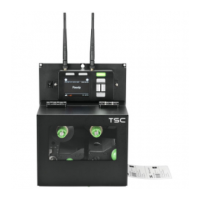
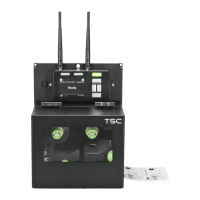
TSC PEX-1121 Series - User Manual

TSC PEX-1121 Series
73 pages
Print Icon
To Next Page IconTo Next Page
Loading...
USERS
MANUAL
PEX-1121/ PEX-1131/ PEX-1161 SERIES
PEX-1221/ PEX-1231/ PEX-1261 SERIES
THERMAL TRANSFER / DIRECT THERMAL
PRINT ENGINE

Questions and Answers

  • N
    nmillerSep 9, 2025
    Why is my TSC PEX-1121 Printer printing irregularly?
    • L
      lmckinneySep 9, 2025
      Irregular printing on your TSC printer may occur if the print engine is in Hex Dump mode; turn the print engine off and on to skip the dump mode. Also, the RS-232 setting may be incorrect; reset the Rs-232 setting.
  • K
    Kevin MedinaAug 22, 2025
    Why is the print quality poor on my TSC Printer?
    • J
      John MccartyAug 23, 2025
      Poor print quality on your TSC printer can stem from several factors. Ensure the ribbon and media are loaded correctly. Dust or adhesive on the print head can also cause this, so clean it. Check your print density settings and adjust the print speed. Inspect the printhead for damage by running a self-test to check the print head test pattern for missing dots. Verify that your ribbon and media are compatible. Adjust the printhead pressure if it's not set properly. Also, make sure the release lever latches the printhead correctly.
  • W
    westsergioAug 25, 2025
    What to do if my TSC PEX-1121 Printer has a paper jam?
    • T
      Tonya NortonAug 25, 2025
      Paper jams in your TSC printer can occur if the gap/black mark sensor isn't set properly; calibrate the media sensor. Ensure the label size is set correctly. Also, check for any labels stuck inside the print engine mechanism and remove them.
  • K
    Kristen BensonAug 26, 2025
    Why does my TSC PEX-1121 Printer skip labels when printing?
    • J
      Joanne BarberAug 26, 2025
      Skipping labels during printing on your TSC printer can happen if the label size isn't specified correctly; ensure it is properly set up. The sensor sensitivity might also be a factor; calibrate the sensor using Auto Gap or Manual Gap options. Additionally, check if the media sensor is covered with dust and clear it with a blower.
  • M
    Megan ColemanAug 27, 2025
    How to fix no print on label issue on TSC PEX-1121 Printer?
    • J
      Jesse HillAug 27, 2025
      If your TSC printer is not printing on the label, it could be due to incorrect loading of the label or ribbon. Follow the instructions for loading the media and ribbon. Also, verify that you are using the correct type of paper or ribbon, and check the ribbon-inked side.
  • R
    Rodney MurphyAug 29, 2025
    What to do if my TSC Printer says 'No Paper'?
    • A
      Amy RichardsonAug 29, 2025
      If your TSC printer indicates 'No Paper', first ensure that you haven't run out of labels and supply a new label roll. If the roll is not empty, check if the label is installed incorrectly. Finally, the gap/black mark sensor might not be calibrated; in that case, calibrate it.
  • J
    Jeremy MooreSep 17, 2025
    Why is the RTC time incorrect when I reboot my TSC PEX-1121 Printer?
    • B
      Brittany PatelSep 17, 2025
      If the RTC time is incorrect when you reboot your TSC printer, the battery may have run down. Check if there is a battery on the main board.
  • O
    omaynardSep 18, 2025
    How to fix power indicator not illuminating on TSC Printer?
    • K
      Kathy JamesSep 19, 2025
      If the power indicator on your TSC printer does not illuminate, it might be due to the power cord not being properly connected. Plug the power cord into both the print engine and the outlet, and switch the power on.
  • J
    Jody JimenezSep 7, 2025
    Why is the printing position incorrect for small labels on my TSC PEX-1121?
    • M
      Michael HolderSep 7, 2025
      An incorrect printing position for small labels on your TSC printer can be due to several reasons. The media sensor sensitivity might not be set properly; calibrate it again. Ensure the label size and gap size are correct. Adjust the parameter Shift Y in the LCD menu. If using BarTender software, set the vertical offset in the driver.
  • T
    Thomas FernandezSep 4, 2025
    Why is there a gray line on blank labels from my TSC Printer?
    • S
      Stacy RiosSep 4, 2025
      A gray line appearing on blank labels from your TSC printer often indicates that the print head or platen roller is dirty. Clean both the print head and the platen roller.

TSC PEX-1121 Series Specifications

General IconGeneral
Print TechnologyThermal Transfer / Direct Thermal
Print Resolution203 dpi
Print Speed12 ips
Media Width25.4 mm - 114 mm
Media Thickness0.075 mm - 0.2 mm
ConnectivityUSB, RS-232, Ethernet
Operating System CompatibilityWindows, Linux
Media TypeContinuous, Die-cut, Fanfold
Media Core Diameter76.2 mm (3")
Ribbon Width40 mm - 110 mm
Ribbon Length600 m
Ribbon Core Diameter25.4 mm (1")
Maximum Print Width104 mm
InterfaceUSB 2.0, RS-232, Ethernet
Power Supply100-240V AC, 50/60 Hz
Operating Temperature41°F - 104°F (5°C - 40°C)
Storage Temperature-4°F - 140°F (-20°C - 60°C)
Humidity25% to 85% non-condensing

Related product manuals