11
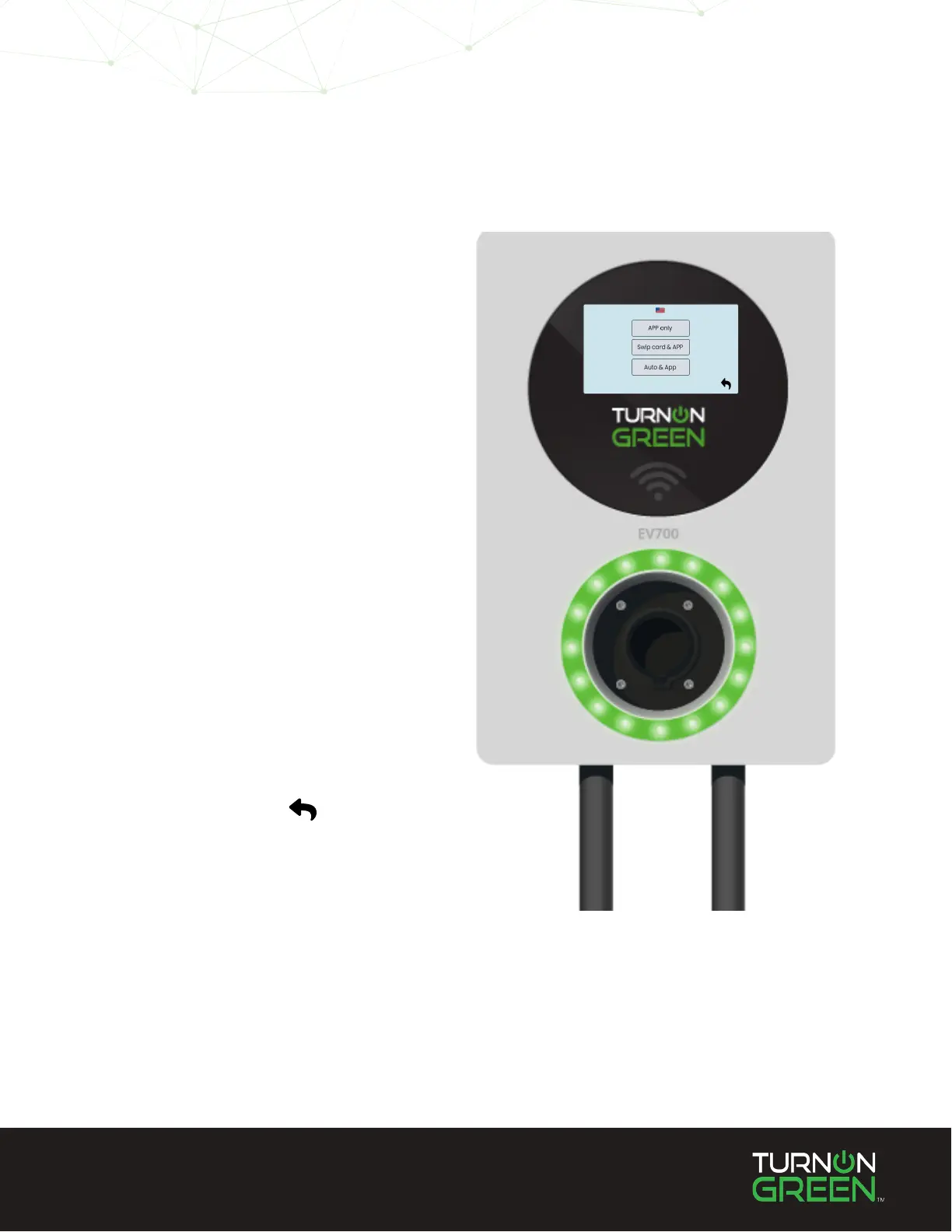
In the Start Mode menu you will see
three (3) options:
APP only
In “APP Only mode”, the EV700 can
only initiate a charge on the mobile
application.
Swipe Card & App
In “Swipe Card & App” mode, the
EV700 can be activated using the
RFID card provided, or the mobile
application.
Auto & App (default)
“Auto & App” mode allows the EV700
to charge automatically when plugged
into an electric vehicle. This mode also
allows users to intiate and conclude
charges using the app. (See page 12)
4
Touch the the return
arrow once you have
selected your preferred
charging function.
NOTE: You can also adjust charger activation settings on the EV700 mobile application.
Learn how to download the app on page 12.
5


 To Next Page