17
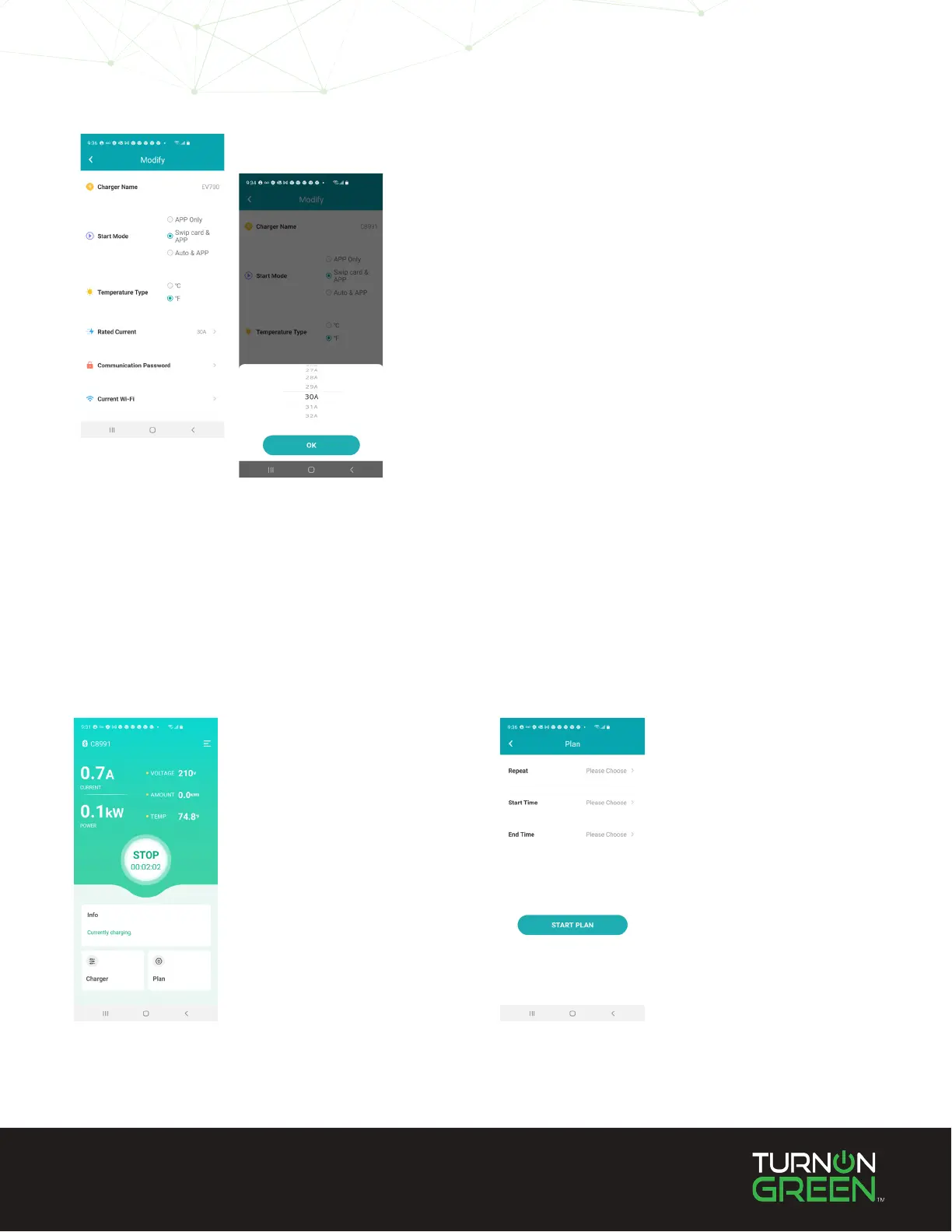
The EV700 mobile app allows you to schedule charging sessions. This is helpful if you wish to
plug your EV in for a charge when you arrive at home in the afternoon, but would prefer it to
start charging late into the night during o-peak hours.
Select “Plan”
at the bottom
right-hand side
of the app screen.
Select
“Start Plan”.
3. Select the “Rated Current” towards the bottom of
the Modify screen.
4. Choose your current setting.
5. Select “OK”.
Schedule Charging Sessions
Mobile Application


 To Next Page