10
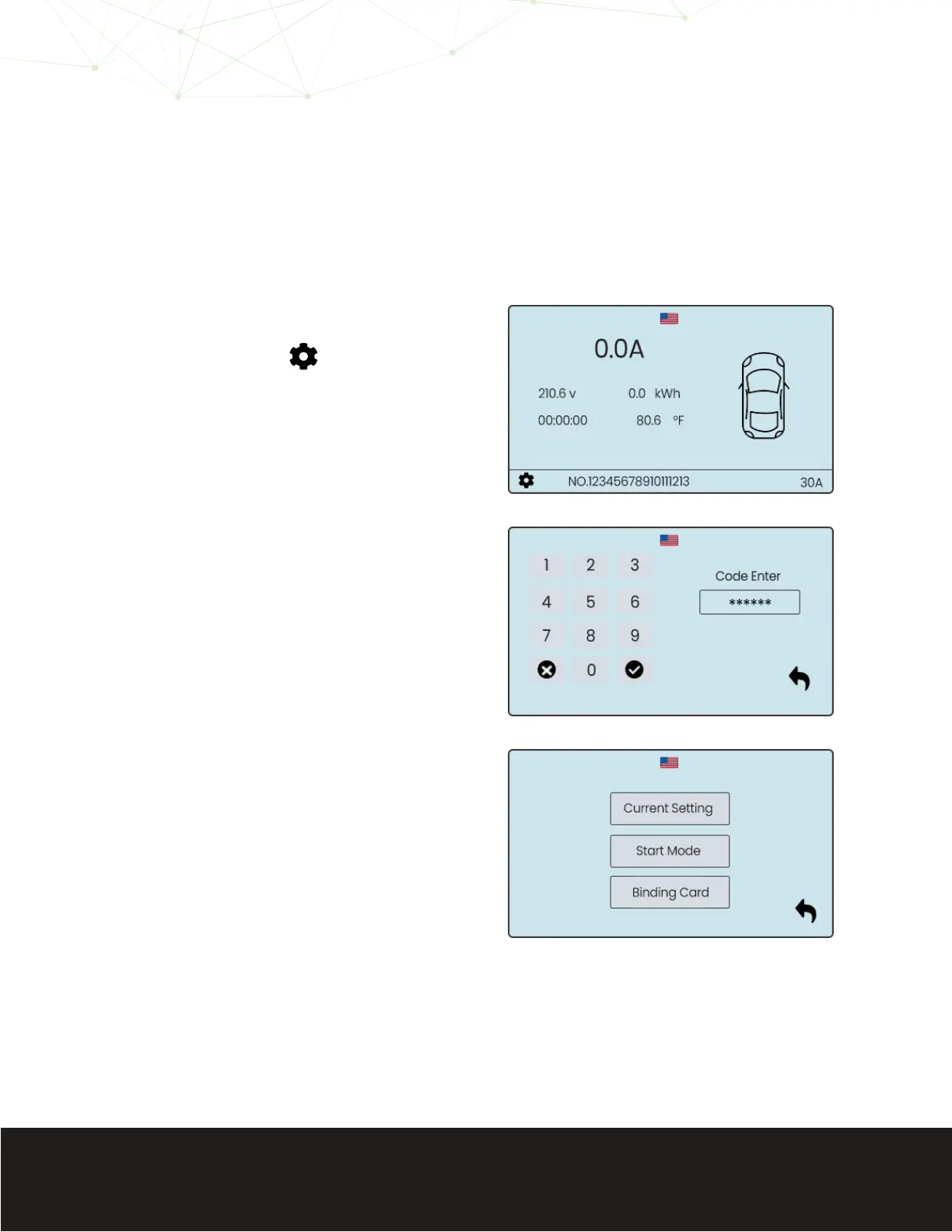
If you wish to set a dierent charge
initation function, follow the steps
below:
To alter settings on the EV700
you must enter the default
passcode on your device.
Touch the “Code Enter” bar to
place the cursor, and enter the
numbers below:
123456
Touch the checkmark on the
number pad to proceed.
From here you can change
the voltage settings of your
EV700, or the charge initiation
procedure from the default
plug-and-play to a dierent
option.
Select “Start Mode” to adjust
your charge initiation settings.
Select the gear icon at
the bottom left of the
touchscreen.
1
2
3
Adjusting Charger Activation Settings


 To Next Page