15
Depending on your “Start Mode” settings you can conclude
your charge at any time in the same way you began.
Auto & App Charge Conclusion
Remove the charging plug from the EV, or stop the session
on the mobile application.
Swipe Card & App
Place the RFID above the Wi-Fi symbol to conclude the
charging session, or use the mobile application.
App Only
Select “STOP” on the EV700 mobile app to conclue a
charging session.
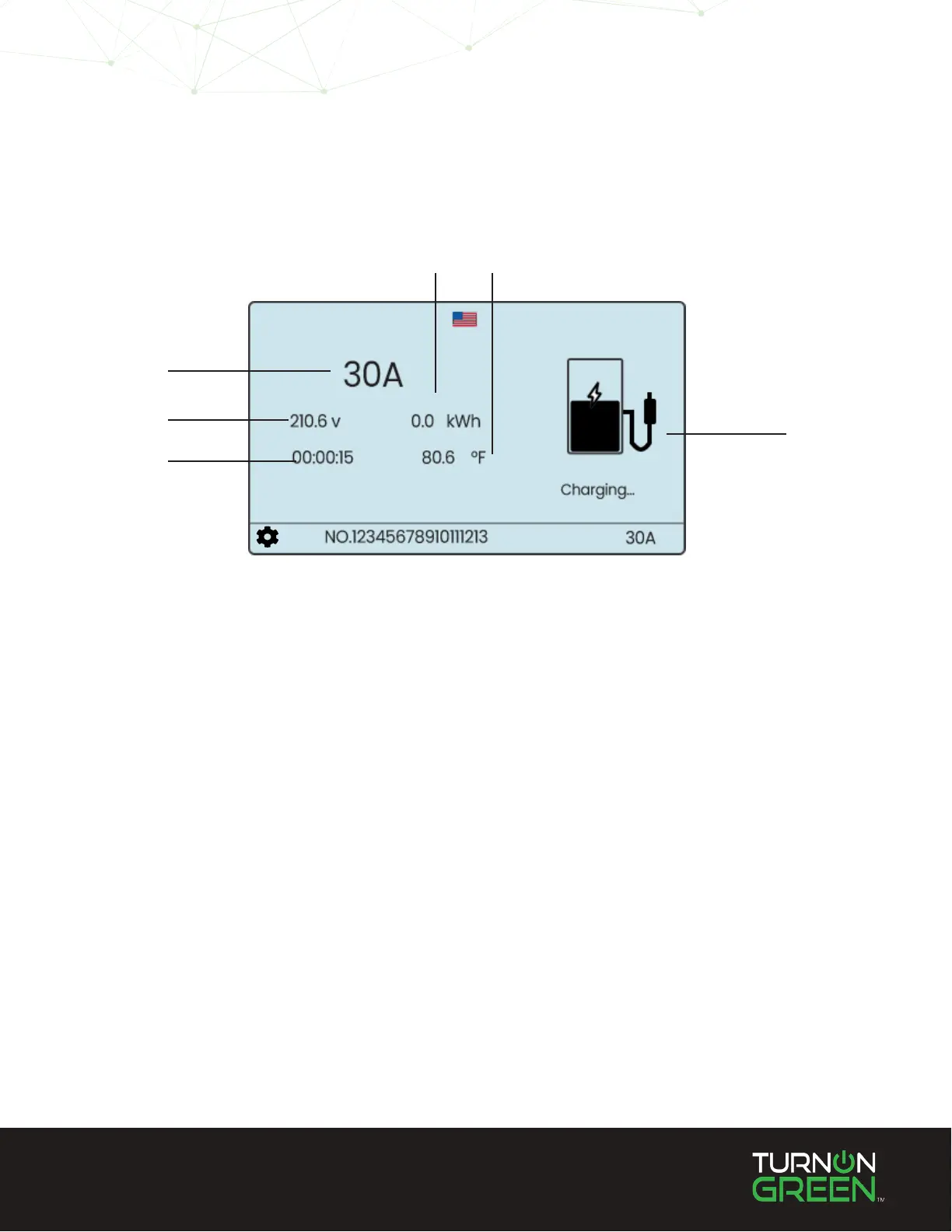
Once you have initiated a charge using the EV700 the touchscreen will display real-time charging statistics
and the EV700 LED indicator will blink green.
Killowatt
Hours
Operating
Temperature
Charging
Icon
Amps
Input
Voltage
Charge
Time
Active Charge Screen
Stop Charging


 To Next Page