19
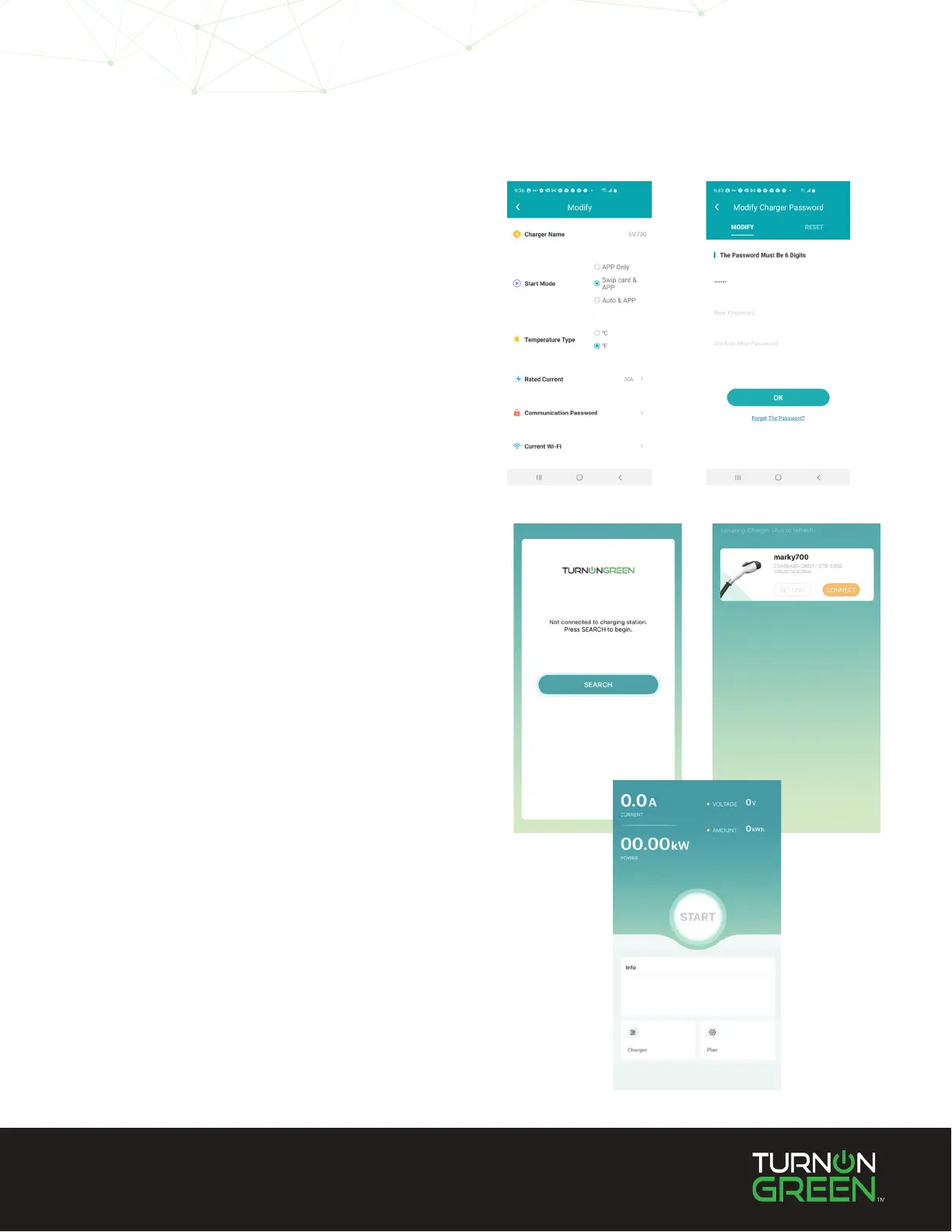
To congure your EV700 on the LCD screen you must
enter the default “123456” password. This password
can be changed on the EV700 app:
1. On the home screen of the app select “Charger”.
2. Select Communication Password.
3. Enter the default password.
4. Enter your new password. 6 digits required.
For security and constantly improving functionality,
the EV700 will undergo rmware updates regularly. To
make sure your EV700 is up to date:
1. Open the EV700 App, Search for your device, and
connect.
2. Once you are connected, select “Charger” on the
bottom left hand side of the screen.
(continue on next page)
Changing “Configuration”
Password
Updating The EV700


 To Next Page