20
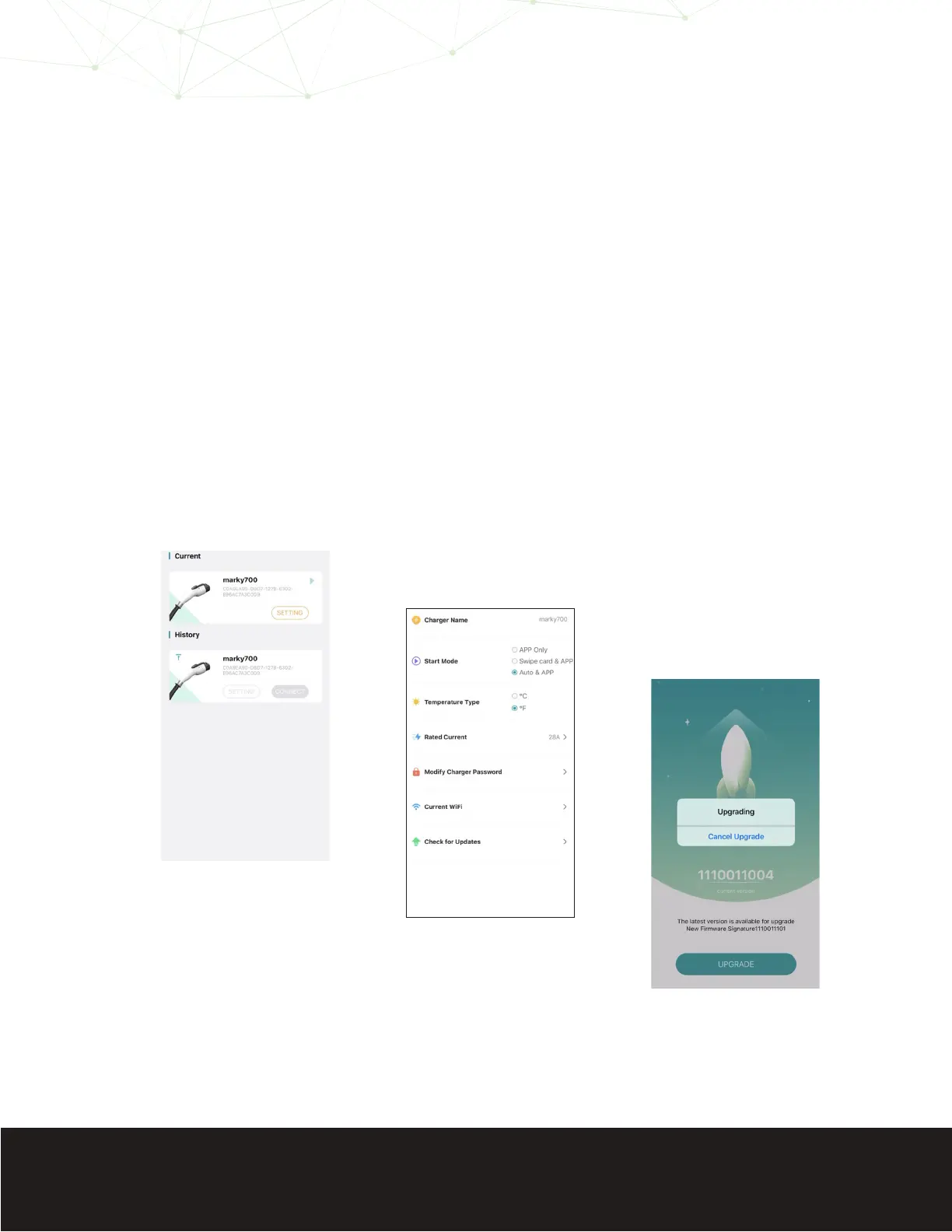
3. Select “Setting”.
4. Choose “Check for Updates” at the bottom of the screen.
5. If necessary, select “Upgrade”.
6. If your EV700 requires an update, here is what you
should know:
• The LCD touchscreen on the charger will reect an
“Updating...” status.
• The update can take up to 5 minutes to complete.
• Once the update is completed, the EV700 will reboot.
• For a few seconds the circular LED indicator will show
white light after rebooting.


 To Next Page