13
Pair EV700 with App
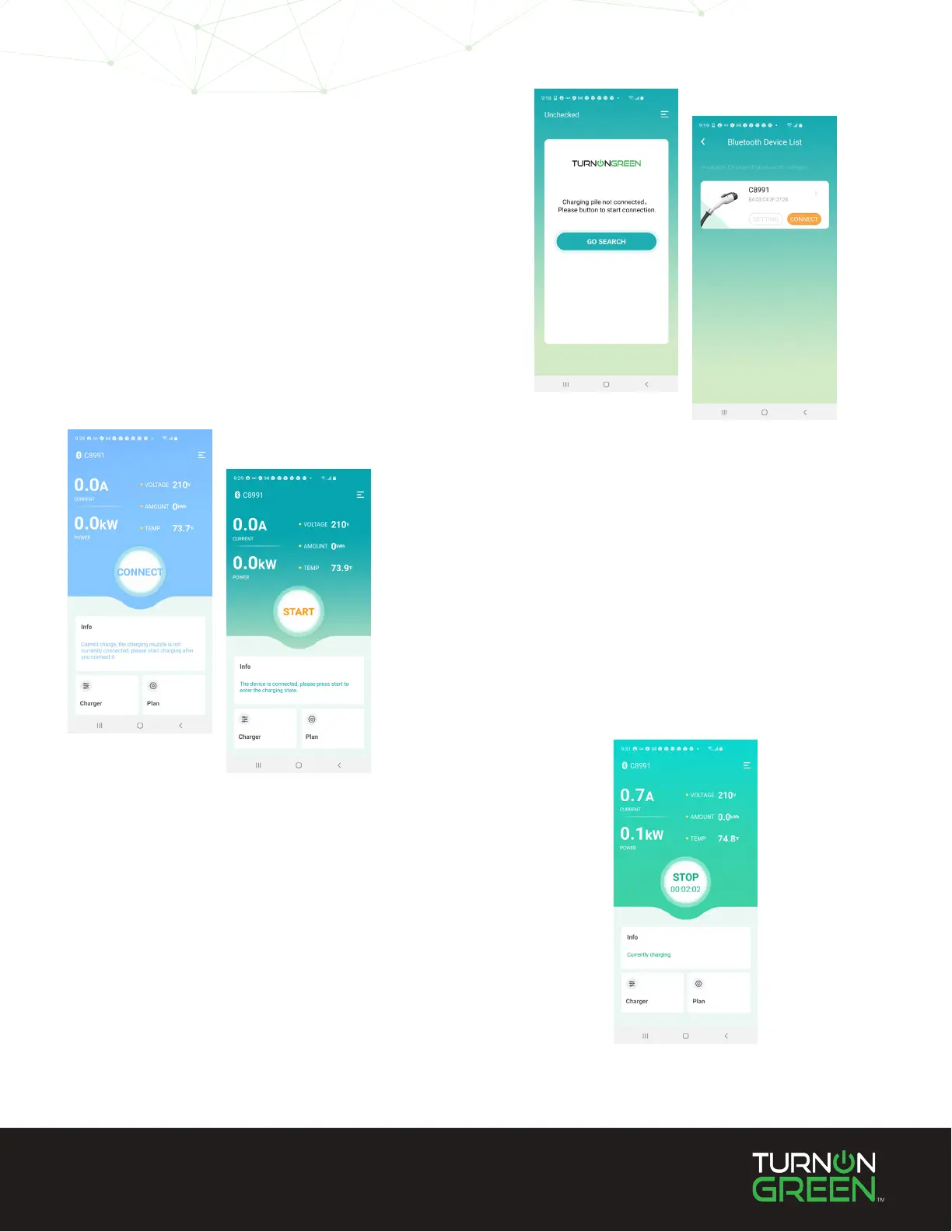
Once you have downloaded the EV700 App, open
the app on your phone. Select “Search” and the
app will search for the EV700’s signal.
Select “Connect” on the charger that displays on
the device list.
2
Start Charging
Make sure the EV700 dock connector is plugged
into your electric vehicle. The EV700 App will not
allow the charge to initiate until it is plugged into
an EV.
Once the connector is plugged into your EV, select
“START” to begin charging.
Not plugged in
Plugged in
3
Stop Charging
If you wish to conclude your charging session,
touch the “STOP” button at the center of the
screen. This button will also display the duration
of the charge session.
4


 To Next Page