21
To alter settings on the EV700
you must enter the default
passcode on your device.
Touch the “Code Enter” bar to
place the cursor, and enter the
numbers below:
123456
Touch the checkmark on the
number pad to proceed.
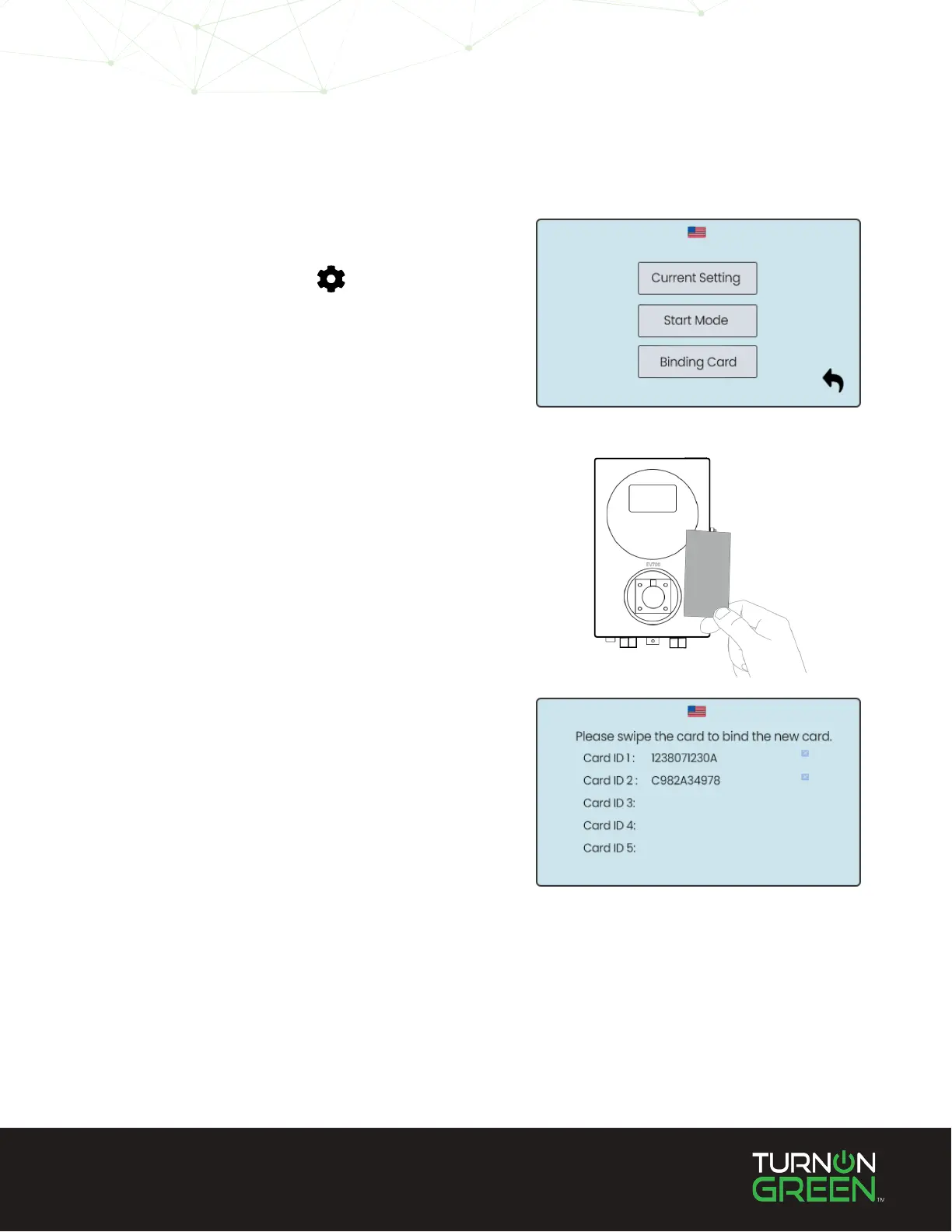
Select “Binding Card”
The cards already assigned to
this device will be displayed.
Hold a card with an RFID
chip like a hotel key, or credit
card up to the Wi-Fi symbol
to use this card for charge
authentication.
Select the gear icon at
the bottom left of the
touchscreen.
1
2
3
4
Assigning New RFID Cards
NOTE: To remove RFID cards, touch the “X” to the right of the RFID you wish to remove.


 To Next Page