31
4 PROGRAMMING
4.1 Programming levels
Access to the programming phase may be controlled by a password or be unprotected. There
are different programming levels:
User level, accessed by entering the ‘user password’:
The terminal displays the ‘ > ‘ prompt; in local programming the display shows ‘
U
’ on the left:
uAV 2
.
The user can define his/her own password using the NP function..
Only some of the functions are available to the user (these are selected by the super-user using the
UP
function). The user is usually the operator in charge for screening operations.
Super-user level, accessed by entering the ‘super-user password’:
In remote programming, the terminal displays the ‘
#
‘ prompt; in local programming the display shows
‘
S
’ on the left:
sAV 2
.
The super-user can define his/her own password using the
NP
function.
The super-user can also decide
which functions are available to the user (
function
UP)
.
The functions necessary to install and use in common applications are available to the super-user.
At each programming level, only the password relating to that same level can be modified.
The equipment is usually delivered from CEIA with a password already set for super-user level, while user
level access is unprotected.
We recommend changing the password immediately after installation and at intervals thereafter, to prevent
access to programming by unauthorized persons
.
4.2 Time out
The programming session will be terminated automatically if no commands are entered for a
period of 2 minutes.
4.3 Local programming
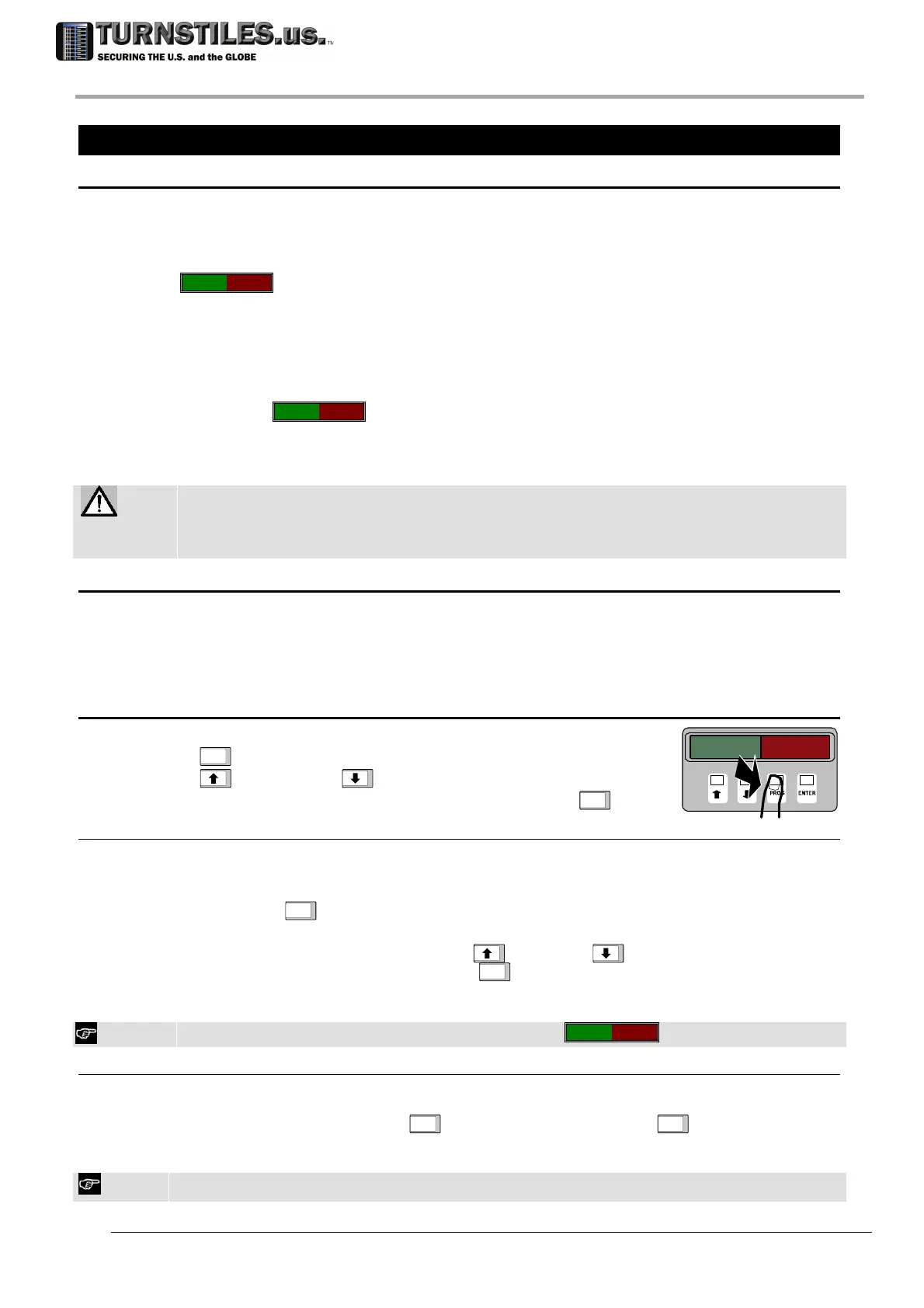
Use the keypad on the inside panel of the control unit.
The
PROG
key is used to enter and exit the programming phase.
The
(increase) and (decrease) keys are used to choose the
function and select the data to enter; confirmation is via the
ENTER
key.
4.3.1 Access to the local programming phase using the password
Starting from normal operation, enter the password using the built-in keypad (local programming)
or the terminal keyboard (remote programming).
• The password is made up of 6 letters or numbers.
• Press PROG
PROG
key: 6 dashes will appear on the display: ------
The first dash flashes to indicate the position of the cursor.
• Insert the password by activating the UP
and DOWN keys to select the
characters and then pressing the ENTER
ENTER
key to confirm.
• After entering the last character, the programming phase starts. If the password is not
recognized, the password must be re-entered.
If a mistake is made, the display returns to the normal operation sign
----****
.
4.3.2 Free access to local programming phase without password
To avoid having to use a password, the code ‘------’ (six dashes) must be assigned to the
password. This can be done at both user and super-user level using the NP function. In this
case, simply press the PROG
PROG
key and then the ENTER
ENTER
key to access the
programming phase, as the string of six dashes shown on the display corresponds to the
password.
ATTENTION! If both levels (user and super-user) have free access, any subsequent programming request is at super-
user level.
303-670-1099



 To Next Page