www.Turtle-Beach.com
Page 14
Playing your PC Digital Music Library
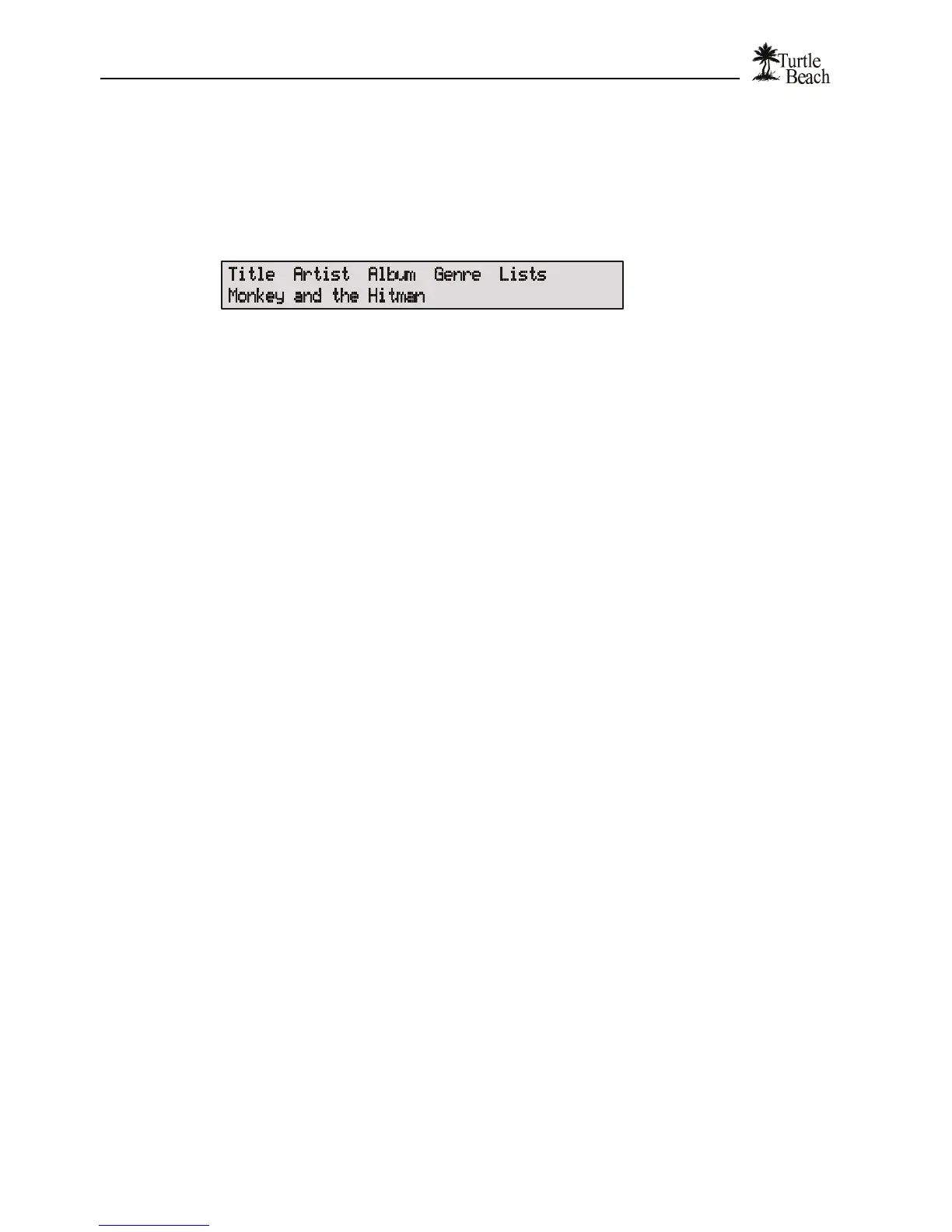
AudioTron’s main menu lets you access songs by Title (individual song titles), Artist (creator of
the song), Album (the name of the CD the song came from), Genre (type of music), and Lists
(User-defined Playlists). These categories are part of the “song tag” created by AudioStation or
other PC jukebox program used to transfer the song from a CD to the hard drive. For more
information on Song Tags, see the Reference Manual.
Figure 11 Pressing the knob selects the item in the top Row. Turning the knob scrolls the second row.
To play a single song…
1. Press the knob until the word “Title” flashes.
2. Turn the knob to select a song title from the song library. (NOTE: Pressing the JUMP+ and JUMP- buttons
on the Remote Control will skip to the first song in the next letter of the alphabet, which provides a quick
way to scroll through a large library.)
3. Press PLAY.
To play songs by Artist, Album or Genre…
1. Press the knob until the word “Artist”, “Album” or “Genre” flashes.
2. Turn the knob to select the item in the selected category.
3. Press PLAY. The number of songs for the selected item will be displayed and the entire list of songs will
play in alphabetical order.
To play songs from a Play List created on your PC…
1. Play Lists are groups of songs created on the PC using a Jukebox program such as AudioStation. For
information on Playlists, see the Reference Manual section called “Managing your Music Library with
AudioStation”.
2. To select a playlist, press the knob until the word “List” flashes.
3. Turn the knob to select the desired List.
4. Press PLAY. The number of songs for the selected List will be displayed and the entire list of songs will
play in the List order.
To create a Group of songs …
1. Press the GROUP button. Press CLEAR to remove any previously loaded songs from the Group.
2. In the main menu, select a Title, Artist, Album, Genre or List by pressing the knob until the item flashes (or
by pressing the item button on the remote control.) Turn the knob (or press the NEXT/PREV buttons on
the Remote Control or the front panel) to Scroll through the list.
3. Press “ADD” to add the songs from the selection to the Group. The number of songs added to the Group
will be displayed.
4. Continue adding songs to the Group in this manner, or press PLAY to start the first song in the Group.
5. Pressing LOOP will cause the group to begin playing again after the last song is over. Pressing RANDOM
would play the songs in random order.
6. Turning off the GROUP button returns to normal operation. Turning it back on load the same songs in the
Group.
7. Press CLEAR to delete all of the contents in the group and start over. Note that individual songs in the
Group list cannot be deleted.


 To Next Page