www.Turtle-Beach.com
Page 12
Connecting AudioTron to your Audio System
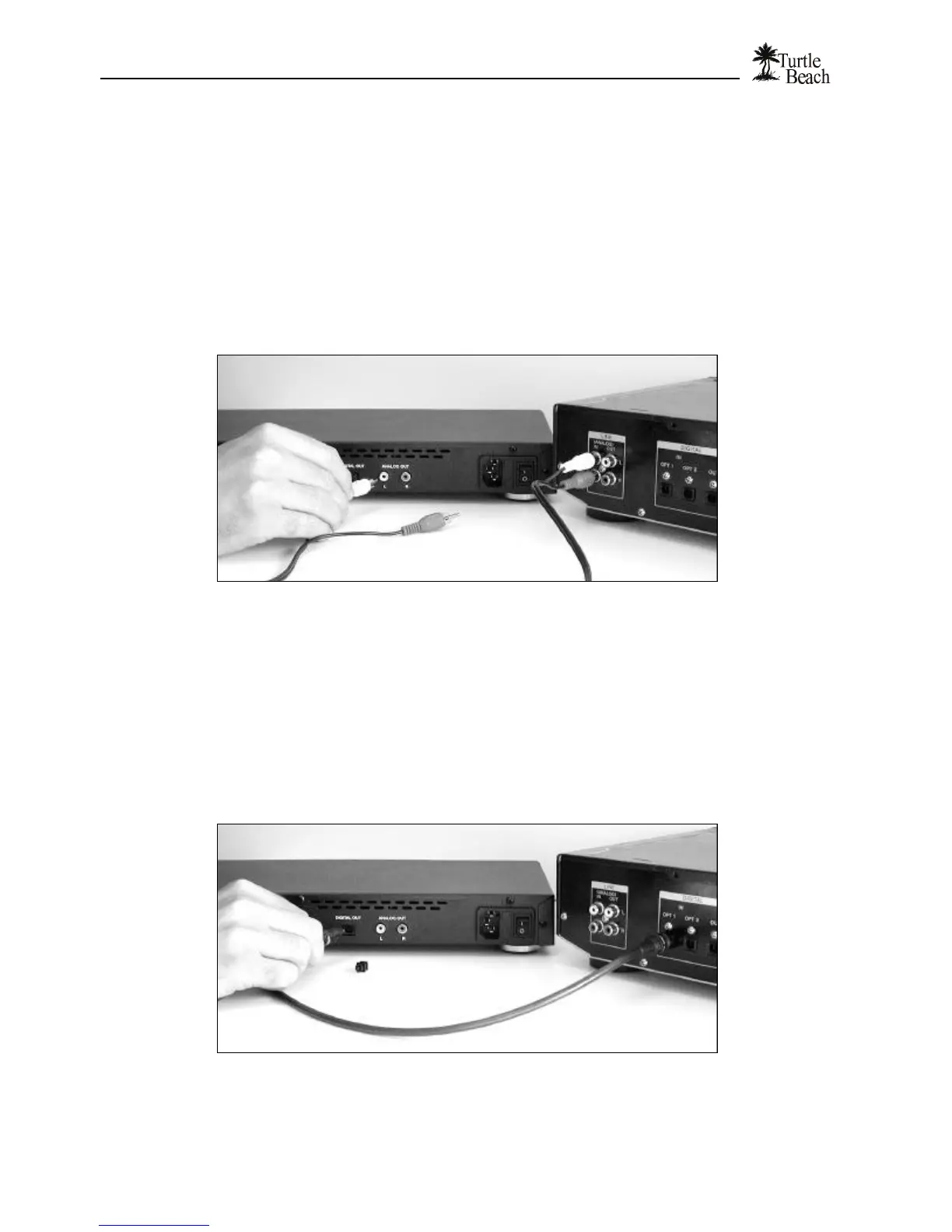
To connect AudioTron’s analog audio outputs…
AudioTron’s analog Left/Right outputs are compatible with most stereo receivers and powered
speaker systems. Use the RCA-to RCA cable included with AudioTron to make this connection.
If your stereo system or powered speakers require a 1/8” connection, you’ll need an RCA-to-1/8”
adapter to connect AudioTron to the stereo or speakers. This adapter may be purchased on the
Turtle Beach web site.
The line-level inputs on your stereo receiver may be labeled AUX, CD or LINE IN. Please refer to
your equipment's documentation for details.
Figure 9 Use the included RCA-to-RCA cable to connect the Analog outputs to a stereo receiver.
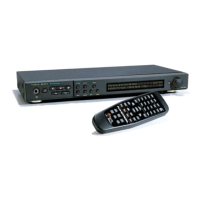
To connect AudioTron’s digital audio output…
The Optical Digital Output provides a digital signal in SPDIF format compatible with high-end
stereo receivers and home theater systems. This connection requires a fiber optic cable, which may
be purchased from the Turtle Beach web site.
To connect the fiber optic cable:
1. Remove the plastic covers from the DIGITAL OUT connector on the AudioTron rear panel.
2. Connect one end of the optional fiber optic cable (available from the Turtle Beach web site) to the stereo
component's Digital Input and the other end to the Digital Out on the AudioTron back panel.
Figure 10 Connecting the optical digital output requires an optional fiber optic cable.


 To Next Page