6
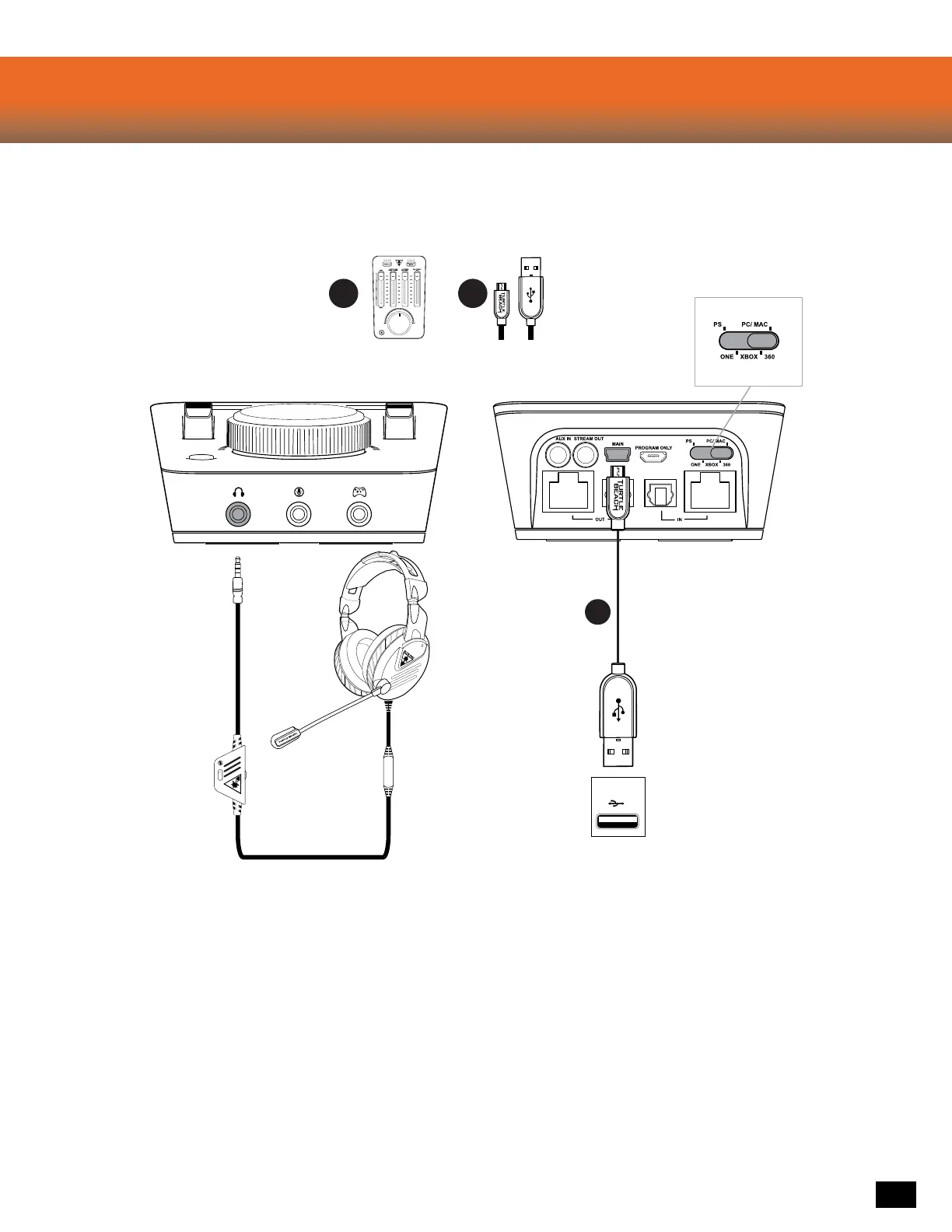
Elite Pro Tactical Audio Controller
PC Setup
Required
BA
B
PC
1. Right-click the Speaker icon in the Taskbar, then click “Playback Devices”.
a. Right-click “Turtle Beach ELITE GAME” and click “Set as Default Device”.
b. Right-click “Turtle Beach ELITE GAME”, click “Configure Speakers”, and
select 7.1 Surround Sound.
c. Right-click “Turtle Beach ELITE CHAT”, and
click “Set as Default Communication Device”.
d. Click the Recording Tab, then right-click “Turtle Beach ELITE CHAT”
and click “Set as Default Device”.













 To Next Page