8
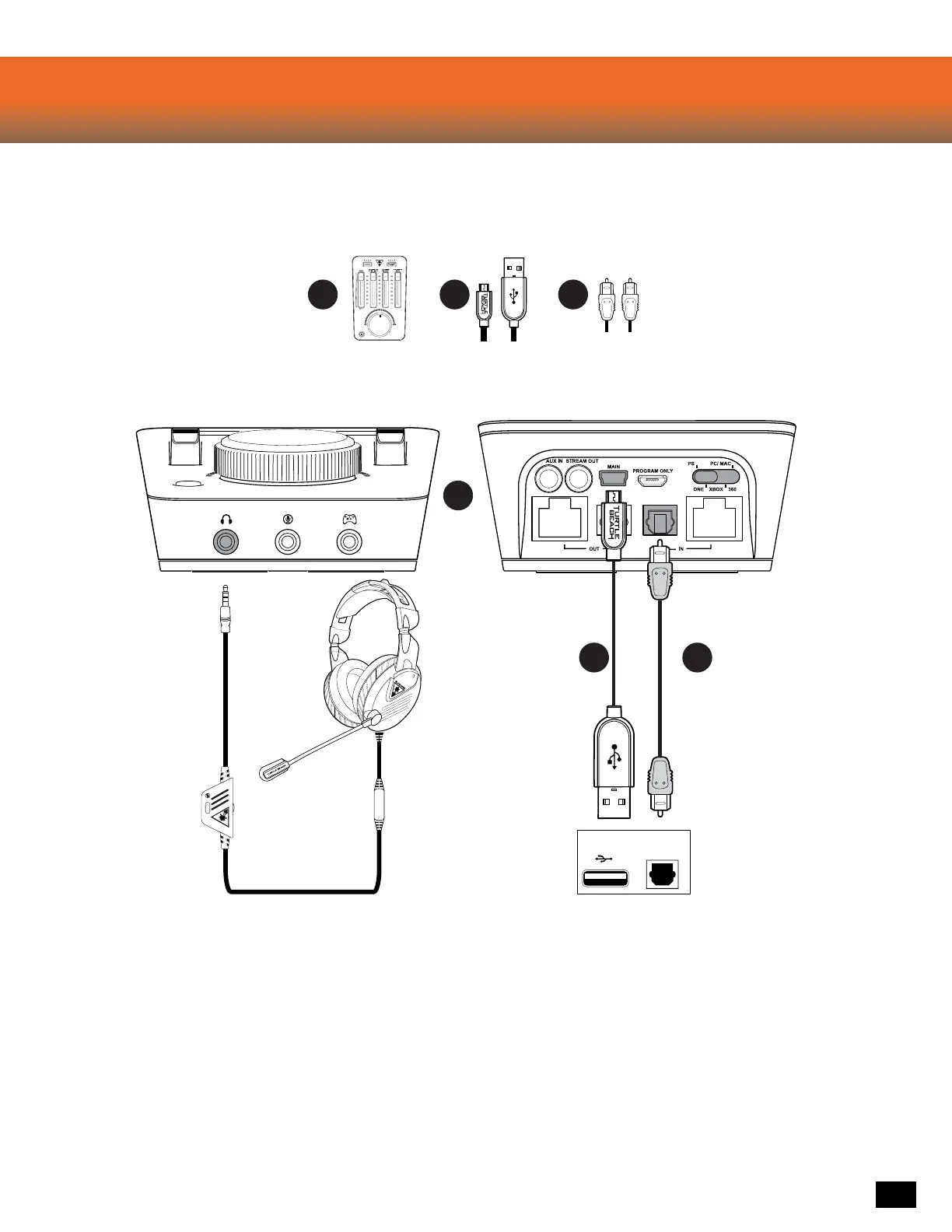
Elite Pro Tactical Audio Controller
PS4 ™ Setup
B C
Required
A
A
B C
DIGITAL OUT
(OPTICAL)
CONSOLE
1. Go to Settings » Sound and Screen » Audio Output Settings
a. Select Primary Output Port » Digital Out (OPTICAL) » ONLY Dolby Digital 5.1ch.
b. Select Audio Format (Priority) » Bitstream (Dolby)
2. Go to Settings >> Devices >> Audio Devices
a. Select USB Headset (Turtle Beach ELITE CHAT) for Input & Output Device
b. Set Output to Headphones to Chat Audio
c. Set Volume Control (Headphones) level to maximum













 To Next Page