26
FHD Hight Bright Field Monitor
[1] USER ASPECT
07 OTHER FUNCTIONS
USER ASPECT
WIDTH +1920
HEIGHT +1080
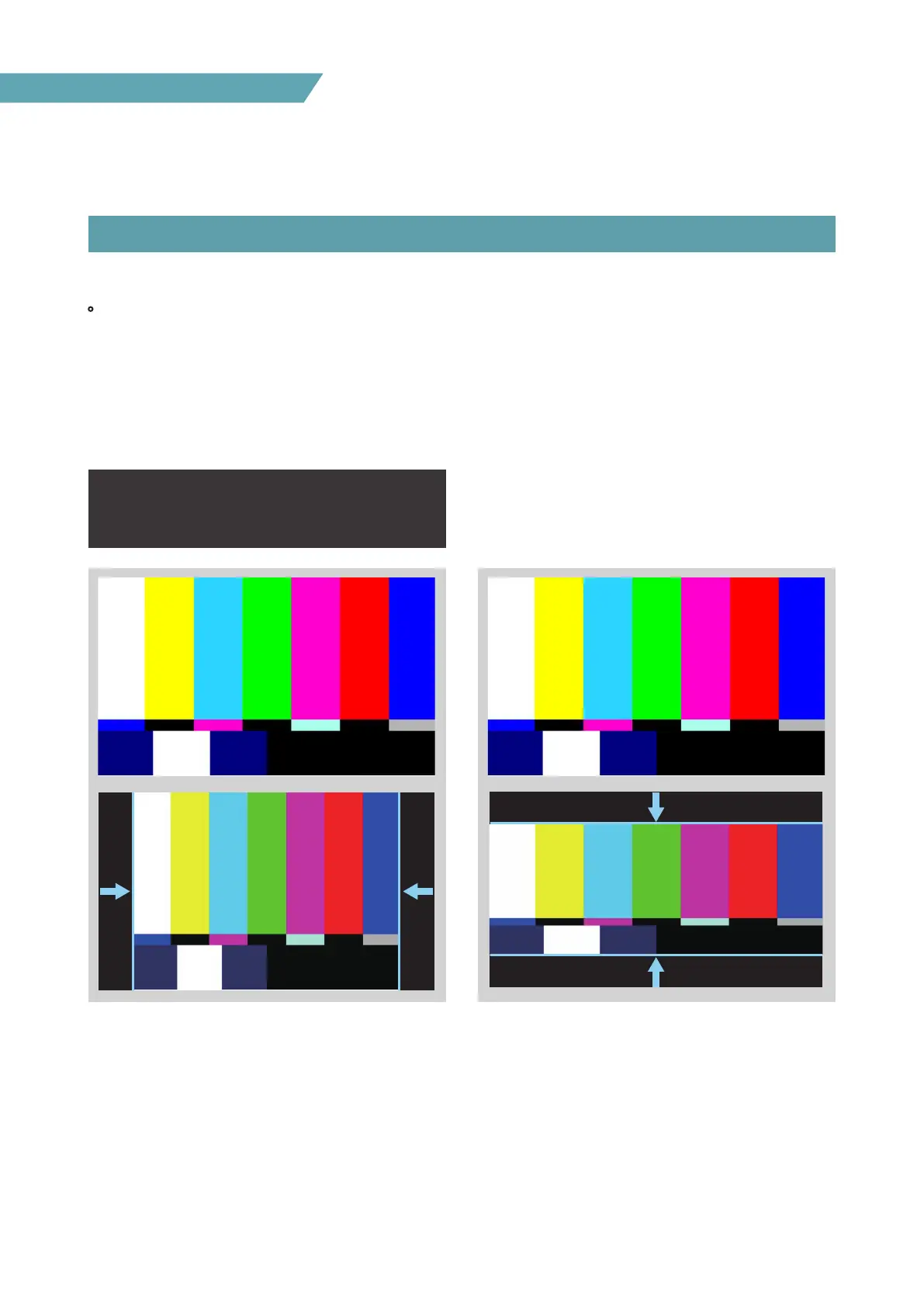
• Used to adjust the Width /Height display ratio.
1. There are two ways activate [USER ASPECT] mode.
- Go to MENU → DISPLAY/VIDEO → SCAN and select the [USER ASPECT] mode.
- Assign [ASPECT] mode to one of the Function button, press the Function button and select the
[USER ASPECT] mode.
2. After the activation, press the Knob to begin controlling. Adjust the ratio using the knob.
- Adjust the ratio using the Knob (UP / DOWN).
- Control range for width: 0~1920.
- Control range for height : 0~1080.
- The size-adjusted picture always stays in the center of the screen.
- The size can be adjustable with 2 increment and decrement.


 To Next Page