http://www.tyan.com
121
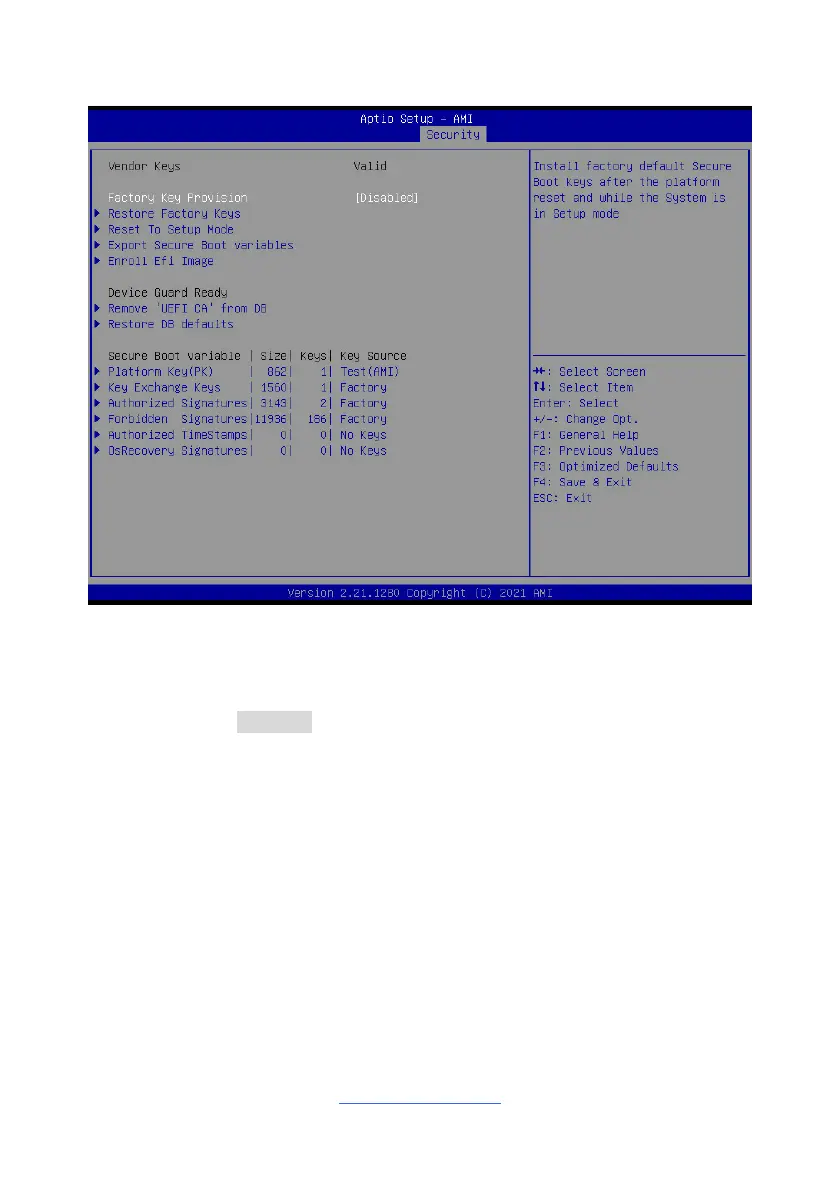
3.7.1.1 Key Management
Factory Key Provision
Install factory default Secure Boot keys after the platform reset and while the
System is in Setup mode.
Enabled / Disabled
Restore Factory Keys
Force System to User Mode. Install factory default Secure Boot key databases.
Press ‘Yes’ to proceed ‘No’ to cancel.
Reset to Setup Mode
Delete all Secure Boot key database from NVRAM. Deleting all variables will reset
the System to Setup Mode.
Press ‘Yes’ to proceed ‘No’ to cancel.
Export Secure Boot variables
Copy NVRAM content of Secure Boot variables to files in a root folder on a file
system device.


 To Next Page