the “Weathercloud” configuration. Please press “Next” one more time and
you will now be on the screen where you will configure WOW.
On this screen, you will fill out “Station ID” with the WOW “Site ID” value,
and “Station Key” with the WOW “Authentication Key” you created. Press
“Save” to finalize the configuration.
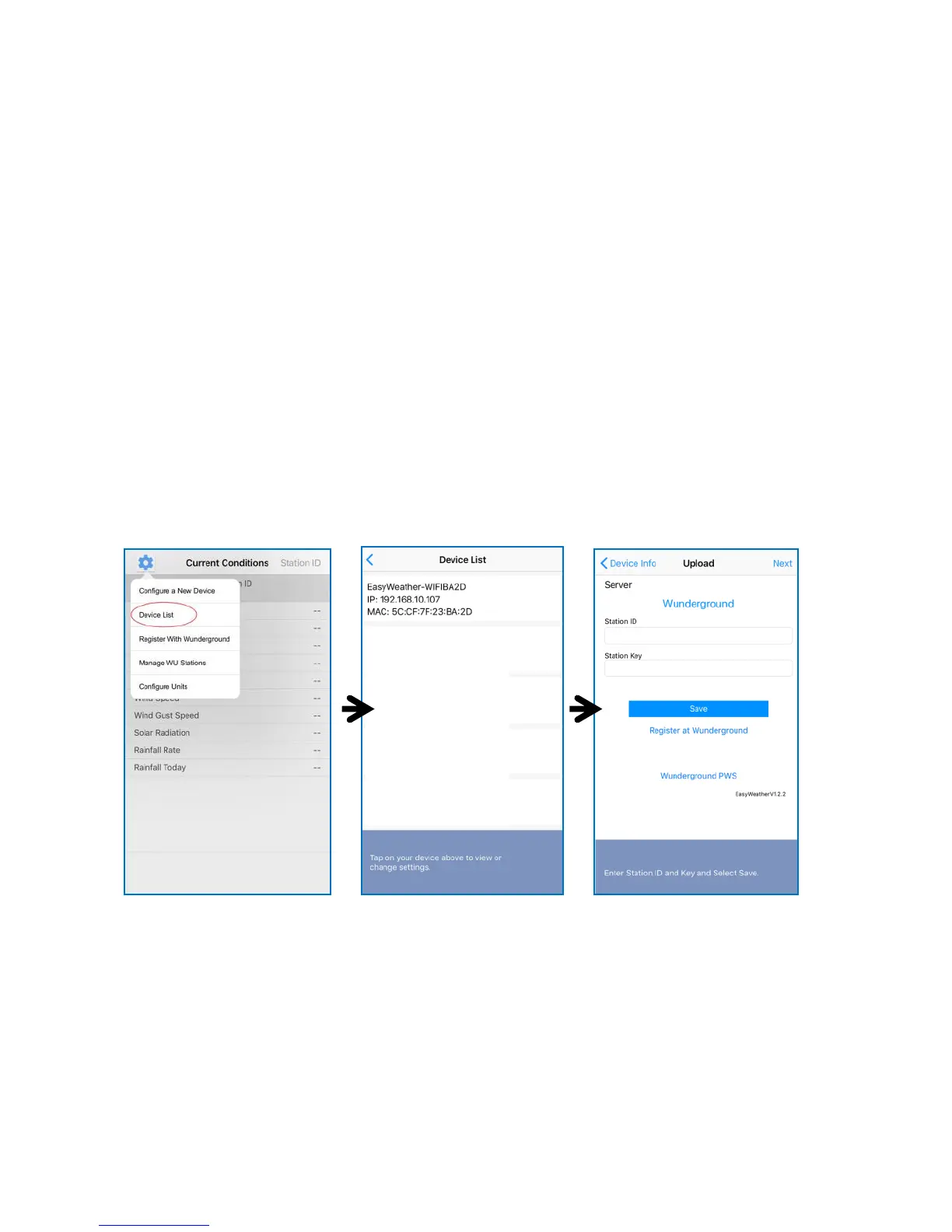
Mobile application – Device list
You can see your console through the “Device List” menu option:
Tapping on your console’s entry in the device list will bring you to the page
where you can change WU registration information. If you want to stop
your console upload data to Wunderground, delete your Station ID and
select “Save”.
Mobile application – Check WU weather data and graph
In the mobile application tap Menu choose WU Dashboard and you will
be presented with a page listing current conditions for that station.
If you have added multiple WU IDs, tap on the WU Station ID to switch to
view data from other IDs.



 To Next Page