28
Operation
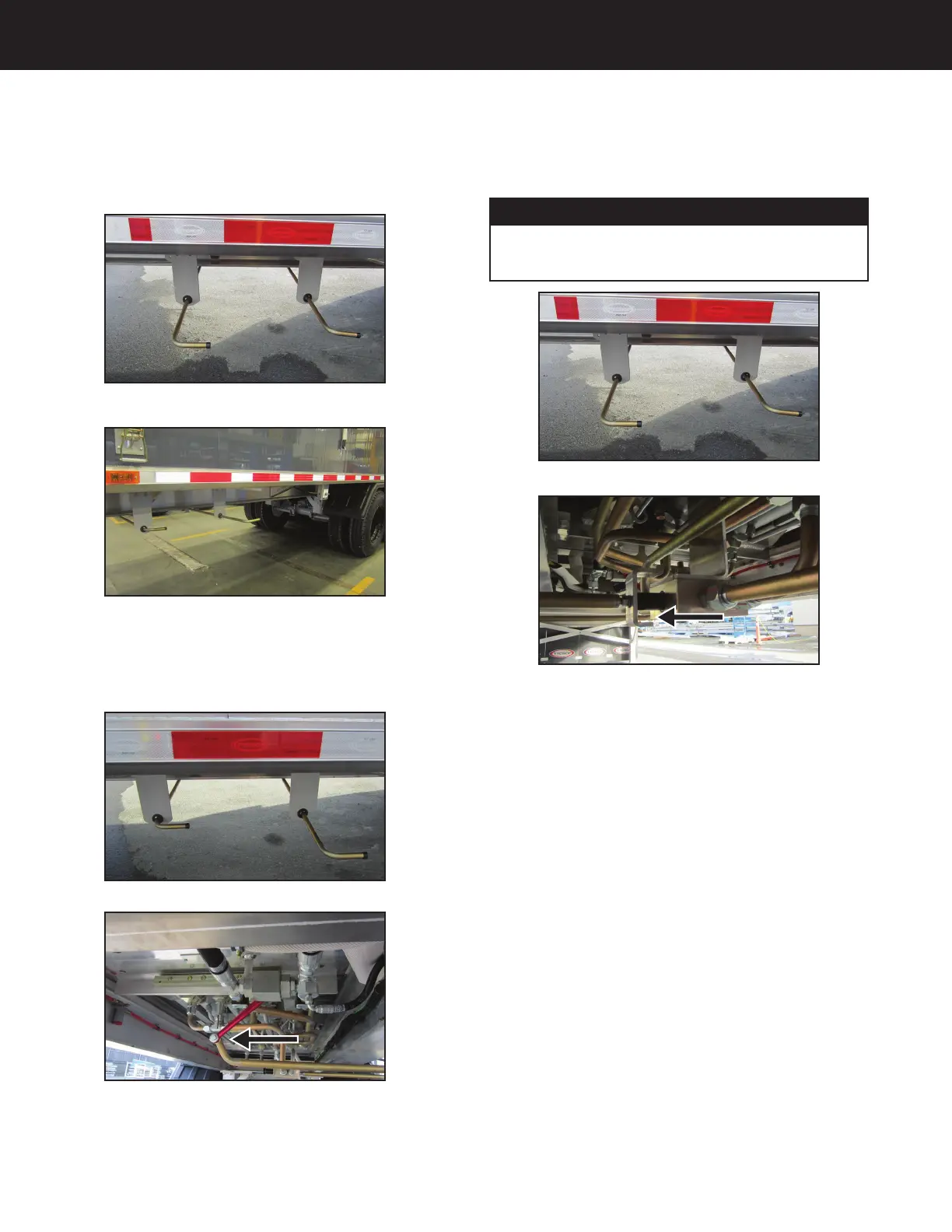
To unload and load the trailer using the moving floor, use the
control levers (Figure 01 - 7) located on the driver side, along
the bottom edge in front of the first axle (Figure 02 - 7).
Figure 01 - 7
Figure 02 - 7
Stopping
Push the handle IN on the left to stop the floor at any time
during the loading and unloading process (Figure 03 - 7).
View from side of trailer
View from under trailer
Figure 03 - 7
Unloading
Pull the handle on the right OUT. Now pull the handle on
the left OUT (Figure 04 - 7) to start the unloading process.
NOTICE
As the trailer unloads, you will need to move the trailer
forward when the load reaches the top of the trailer deck.
View from side of trailer
View from under trailer
Figure 04 - 7
Option: Moving Floor by Keith
®
- 7


 To Next Page