TYPHOON BLUETOOTH™ 56K WIRELESS MODEM KIT
Article Number: #20006
Version 2.0 All specifications and information are subject to changes without further notices
24
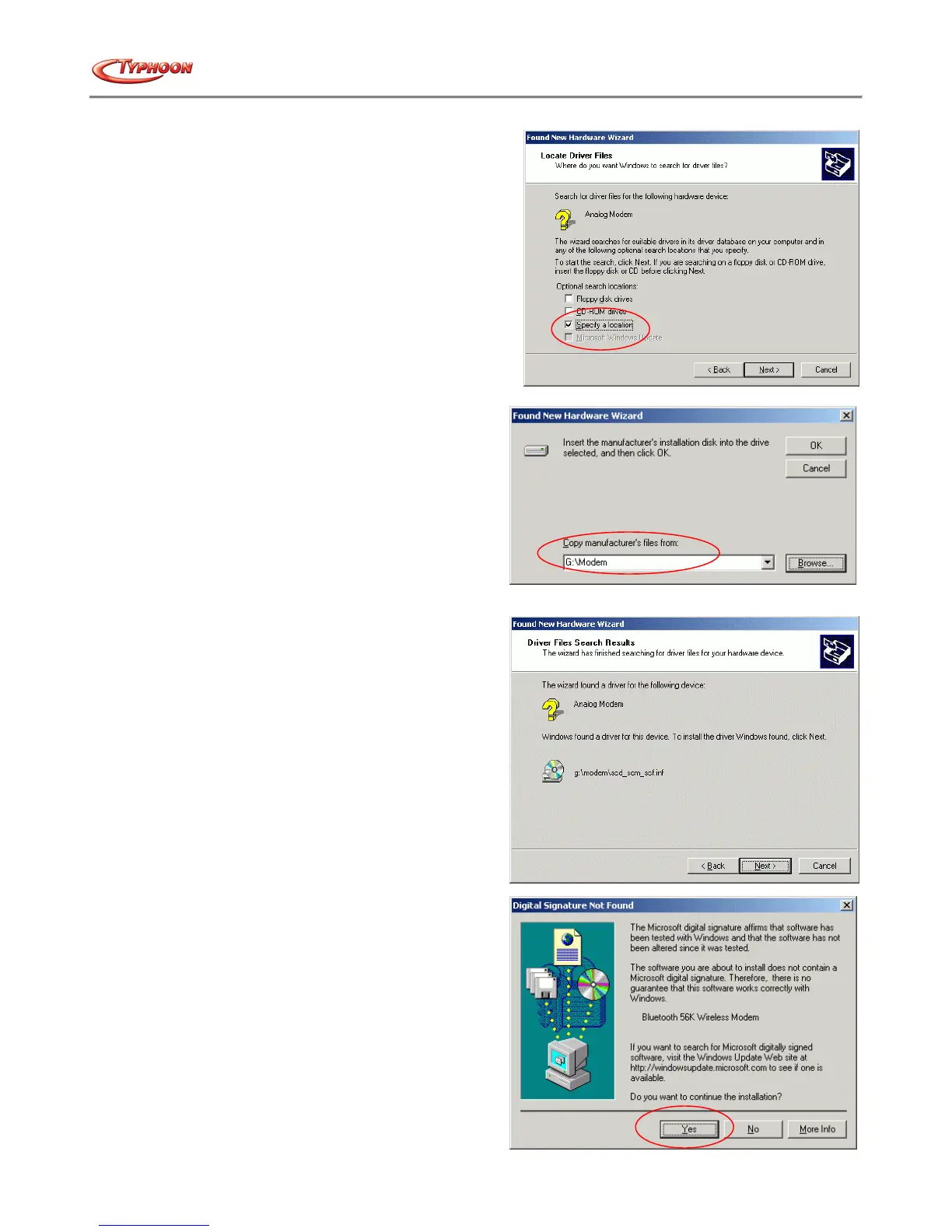
c. Select "Specify a location" then click the "Next" button.
d. Type "x:\Modem" (where x:\ is the path of your CD-
ROM drive) in the location, or alternatively click the
"Browse" button to locate the file in the CD-ROM
drive and click the "Next" button.
e. Windows will detect the modem hardware. Click the
"Next" button to continue with the driver installation.
f. Windows will search and identify the driver of the
device, and display the Digital Signature message.
Click the "Yes" button to continue with the process.
Windows will then automatically copy the driver and
related files into the system.



 To Next Page