TYPHOON BLUETOOTH™ 56K WIRELESS MODEM KIT
Article Number: #20006
Version 2.0 All specifications and information are subject to changes without further notices
3
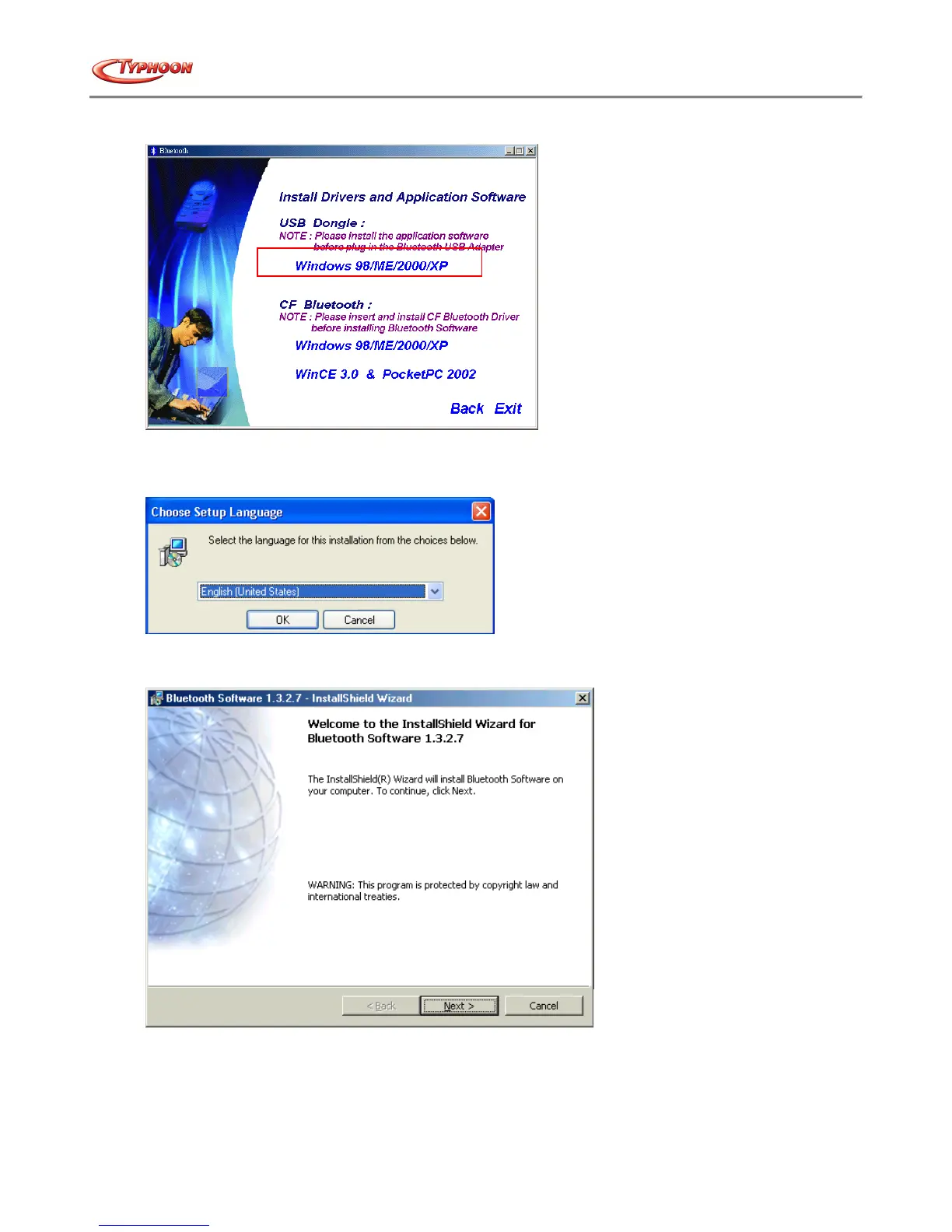
3. Please select “Install Drivers and Application Software” and the installation will proceed.
4. Under “USB Dongle:” click on the blue selection “Windows 98 / ME / 2000 / XP”. (Note: Windows 98 refers to
the Second Edition, the First Edition is not supported)
5. Select on your preferred language for the installation and click on “OK” button to continue.
6. On the Welcome screen, click the Next button to continue.
7. When the License Agreement screen is displayed, read the License Agreement, then click the radio button to the
left of "I accept the terms in the license agreement" and click the Next button to proceed.



 To Next Page