36
User’s Manual
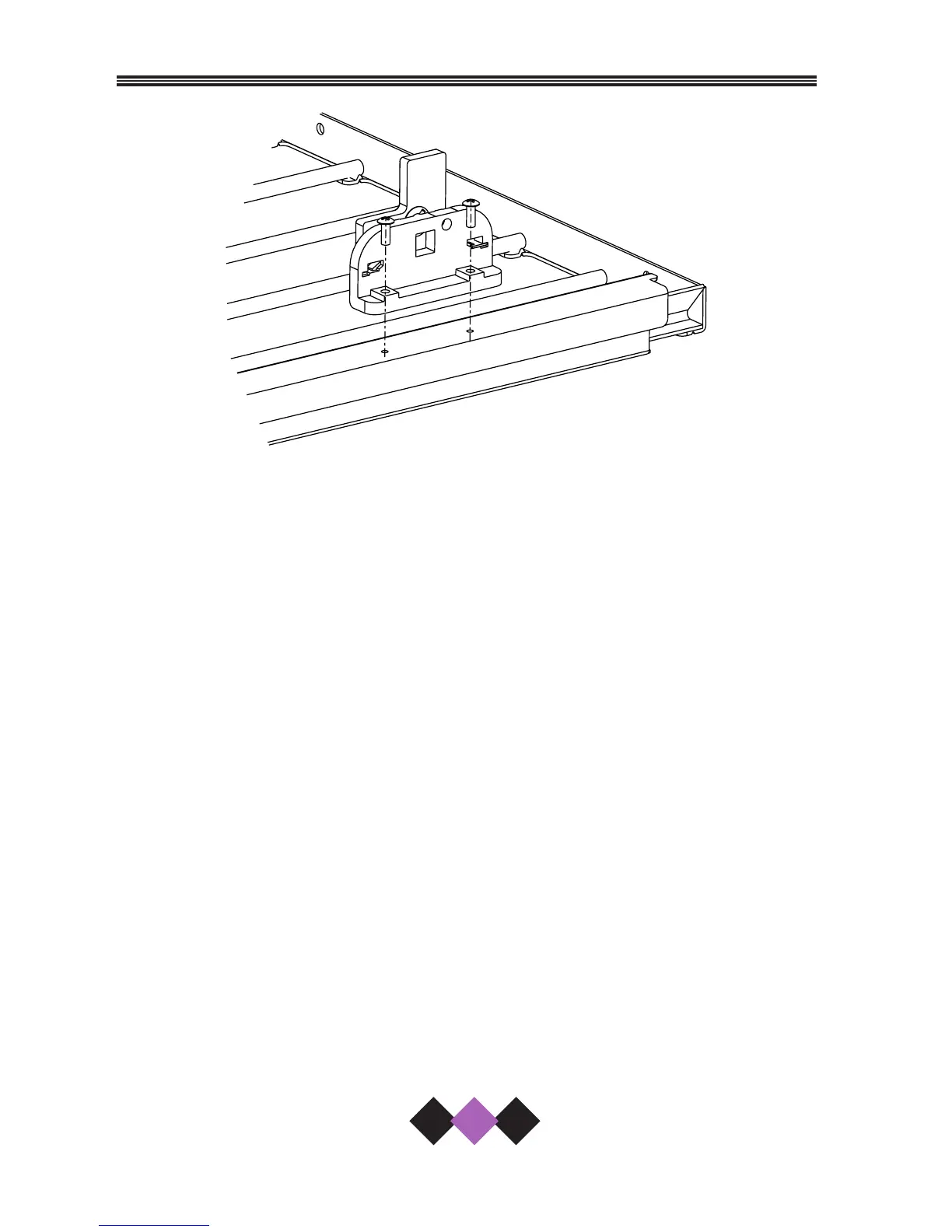
Figure 32
DISABLING THE CASCADE FEATURE
To disable the cascade components in the drawers:
1. Open the drawer fully.
2. Push the upper rack back to the closed position.
3. Using a Phillips screw driver, remove the two screws that attach the
cascade assembly to the drawer slide.
4. Repeat Step 3 on other side of drawer to disable cascade
completely. There are two of these assemblies on each drawer.
5. Repeat Steps 1-4 on other drawer.
NOTE
Retain these assemblies if you wish to activate your cascade
action again.



 To Next Page
 Loading...