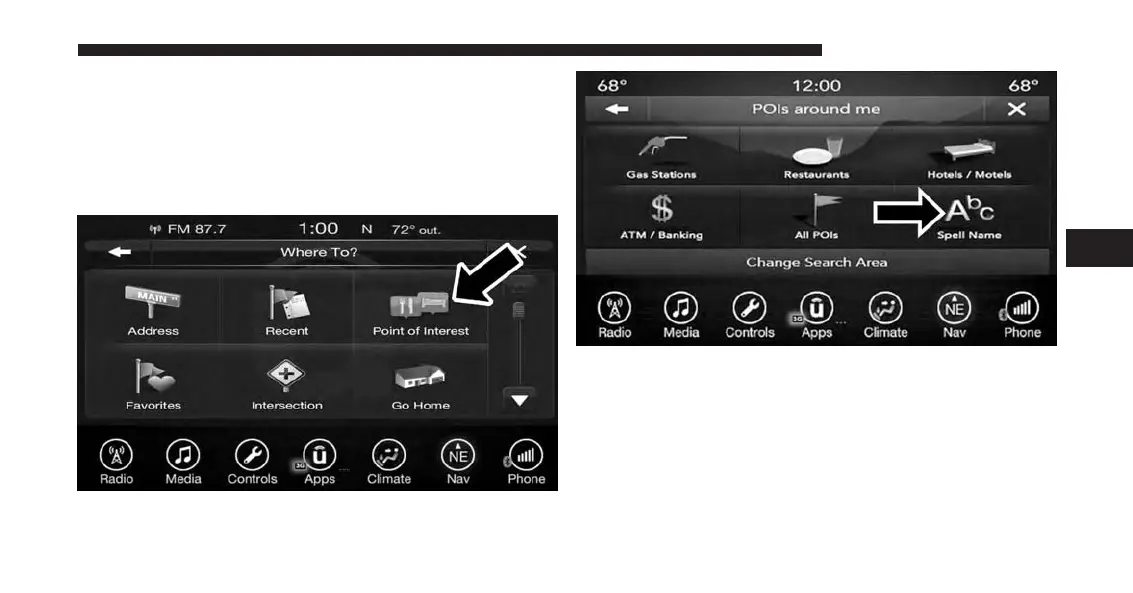
POI — Spell Name
To select for a specific POI, follow these steps:
1. While in the Nav Main Menu, press the “Where To?”
button on the touchscreen, then press the “Point of
Interest” button on the touchscreen.
2. Press the “Spell Name” button on the touchscreen.
3. A keyboard will appear on the screen. Type in the POI
that you want to search and press the “List” button on
the touchscreen to display available items.
4. Press the desired POI and press “Yes” to confirm the
destination.
4
UCONNECT 8.4A/8.4AN 171



 To Next Page