You can access your Uconnect Theater system from the
radio following the steps below.
1. Press the “Media” button.
2. Press the “Uconnect Theater” button icon.
NOTE: The Uconnect Theater icon may be dragged and
dropped down to the personalized menu bar to create an
App/shortcut. Refer to “Personalized Menu Bar” in this
section for more information.
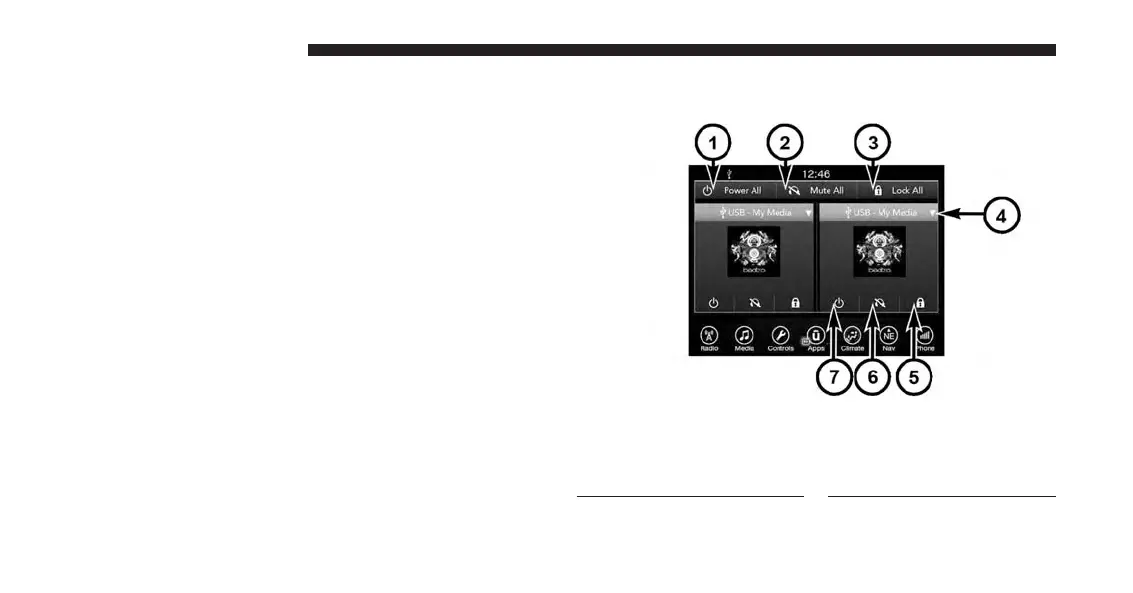
Uconnect Theater Controls
1 — Power All
2 — Mute All
3 — Lock All
4 — Source Drop Down List
5 — Lock On/Off current
screen
6—
Mute On/Off current screen
7—
Power On/Off current screen
214 UCONNECT 8.4A/8.4AN



 To Next Page