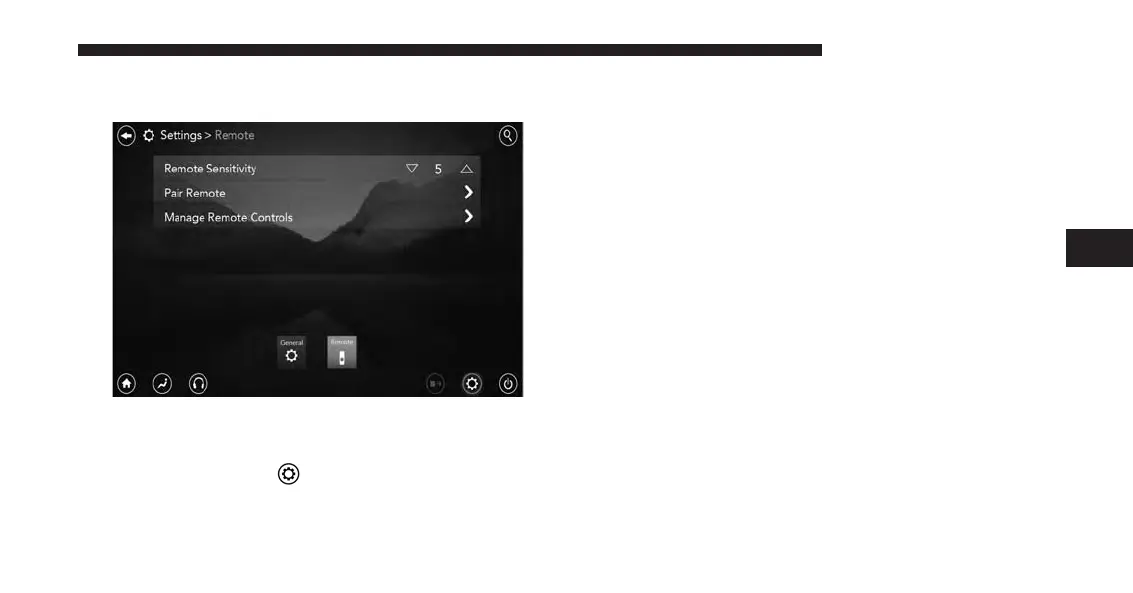
Pairing The Remote
If the remote needs to be paired to your Uconnect Theater
system, follow the procedure below:
1. Press the “Settings”
icon on the touchscreen.
2. Press the “Remote” button on the touchscreen in the
settings menu.
3. Select “Pair Remote” and follow the on screen instruc-
tions to complete the pairing process.
NOTE:
• There will be a touchscreen notification message when
pairing is successful/unsuccessful. Repeat the above
steps to pair the second remote.
• If remote is ever non-operational, try pairing remote.
• The system can accommodate up to 10 paired remote
controls.
Unpairing The Remote
In events such as updating the Uconnect Theater soft-
ware, or taking a remote to another vehicle, the remote
4
UCONNECT 8.4A/8.4AN 217



 To Next Page