NOTE: To view USB media on the rear theater screens,
insert a USB jump drive into the port on the DVD/Blu-
ray disc player. The USB jump drive port is located under
the radio controls in the instrument panel.
Use the search feature to find your music faster.
Play Video Games
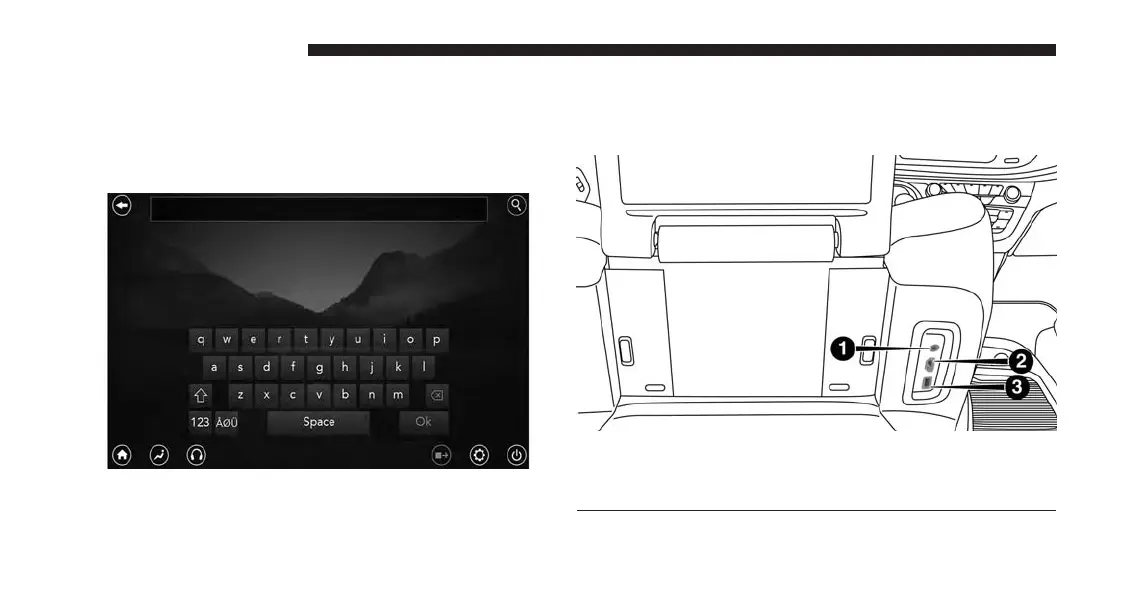
Connect the video game console to the HDMI 1 or 2
ports, located behind the first row seat.
1 — AUX Jack (Headphone Output Only)
2 — HDMI Port
3 — USB Port (Charge Only)
230 UCONNECT 8.4A/8.4AN



 To Next Page