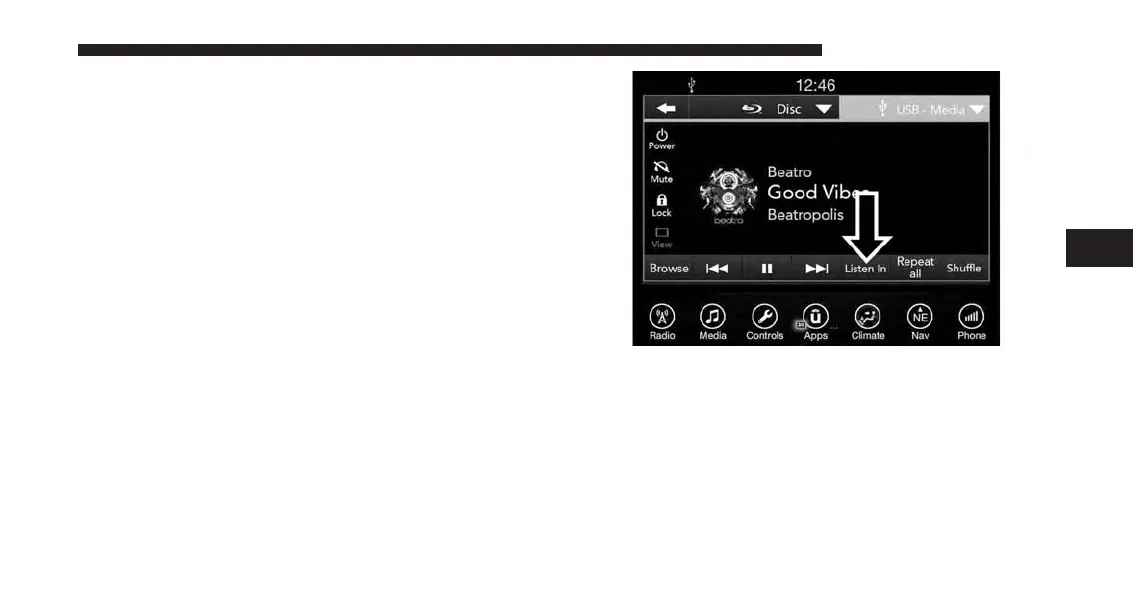
Parents can control certain features of the system with the
“Uconnect Theater Controls” screens, right from the
Uconnect touchscreen radio. Options are:
• Change media sources
• Lock one or both screens
• Mute an individual screen or both screens
• Turn On/Off one or both screens
• Select APPS
• View media while gear selector is in Park
Press this button and use the “Listen In” feature to listen
to audio through cabin speakers.
Accessing The System From The Uconnect
Theater Rear Screens
You can also access your Uconnect Theater system from
the rear screens from the steps below.
4
UCONNECT 8.4A/8.4AN 215



 To Next Page