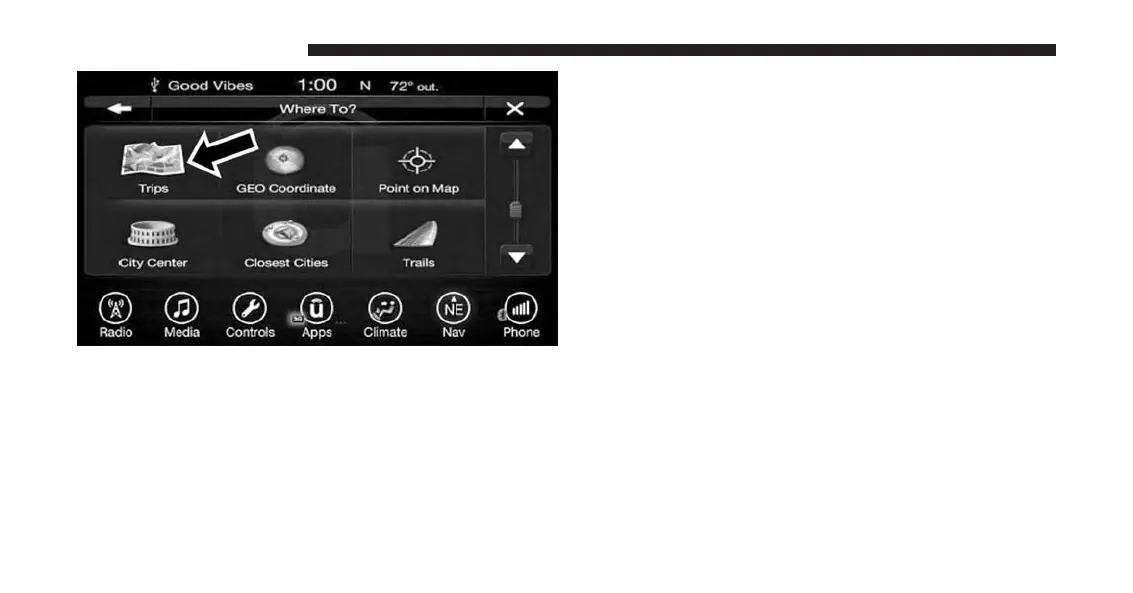
3. Press the button on the touchscreen with the name of
the desired Trip and press the first destination in the
list.
4. Confirm the route by pressing “Yes” to start the route
guidance.
To add a Trip, follow these steps:
1. Press the “Create new Trip” button on the touchscreen.
2. Type in the new Trip Name.
3. Press “Add Destination” to add destinations to your
trip.
4. Choose from the following options to add a destina-
tion
• Address
• Recent
• Point of Interest
• Favorites
• Intersection
• GEO Coordinates
• Point on Map
178 UCONNECT 8.4A/8.4AN



 To Next Page