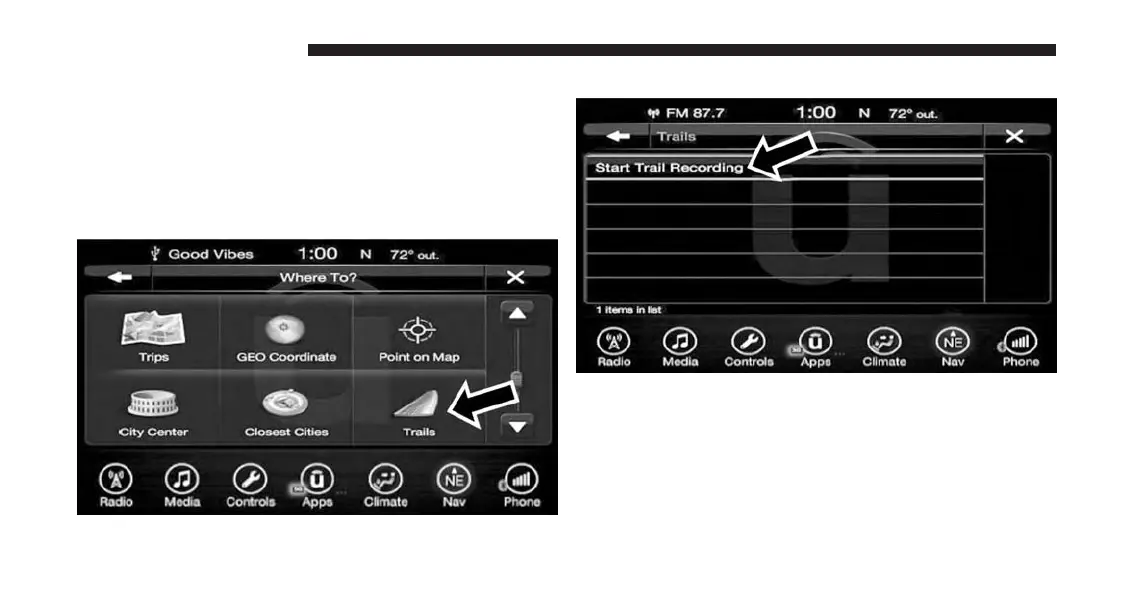
Where To? — Trails
When starting to drive a trail you want to record, follow
these steps:
1. While in the Nav Main Menu, press the “Where To?”
button on the touchscreen then press the “Trails”
button on the touchscreen.
2. Press “Start Trail Recording.”
3. When you want to end the recording of a route, press
“Stop Trail Recording.”
The trip you recorded will be added to the Recent Trails
list.
186 UCONNECT 8.4A/8.4AN



 To Next Page