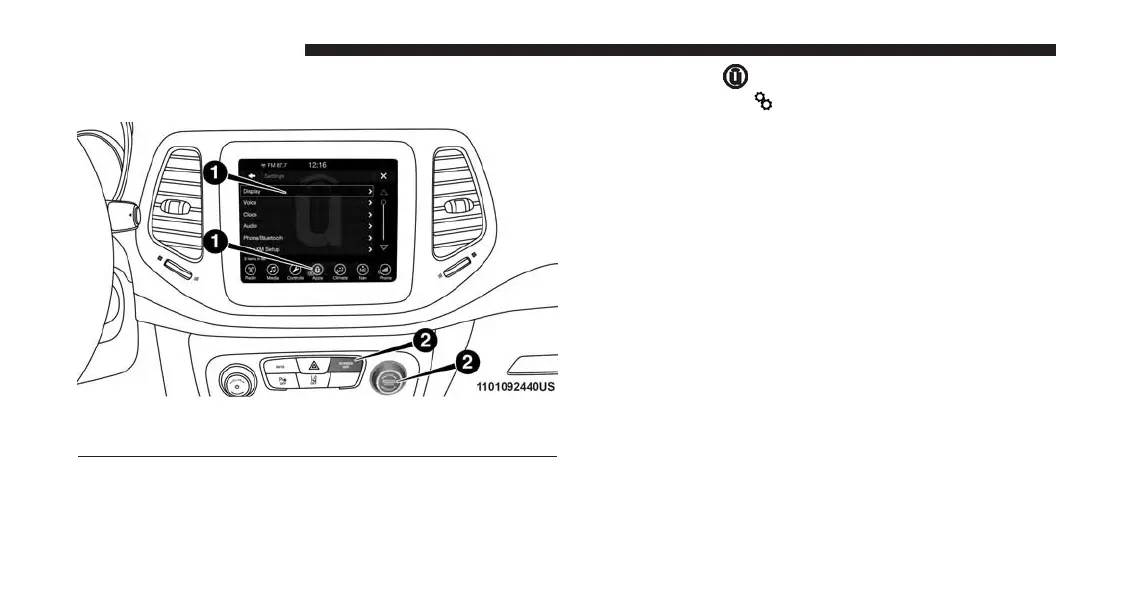
Uconnect 8.4 Settings
Press the “Apps
” button on the touchscreen, then
press the “Settings ” button on the touchscreen to
display the menu setting screen. In this mode, the
Uconnect system allows you to access all of your
programmable features.
NOTE:
• Only one touchscreen area may be selected at a time.
• Depending on the vehicles options, available feature
settings may vary.
When making a selection, press the button on the touch-
screen to enter the desired mode. Once in the desired
mode, press and release the preferred setting until a
check-mark appears next to the setting, showing that
setting has been selected. Once the setting is complete,
either press the Back Arrow button on the touchscreen to
return to the previous menu, or press the “X” button on
1 — Uconnect Buttons On The Touchscreen
2 — Uconnect Buttons On The Faceplate
254 UCONNECT SETTINGS



 To Next Page