ULEAD VIDEOSTUDIO USER GUIDE
14
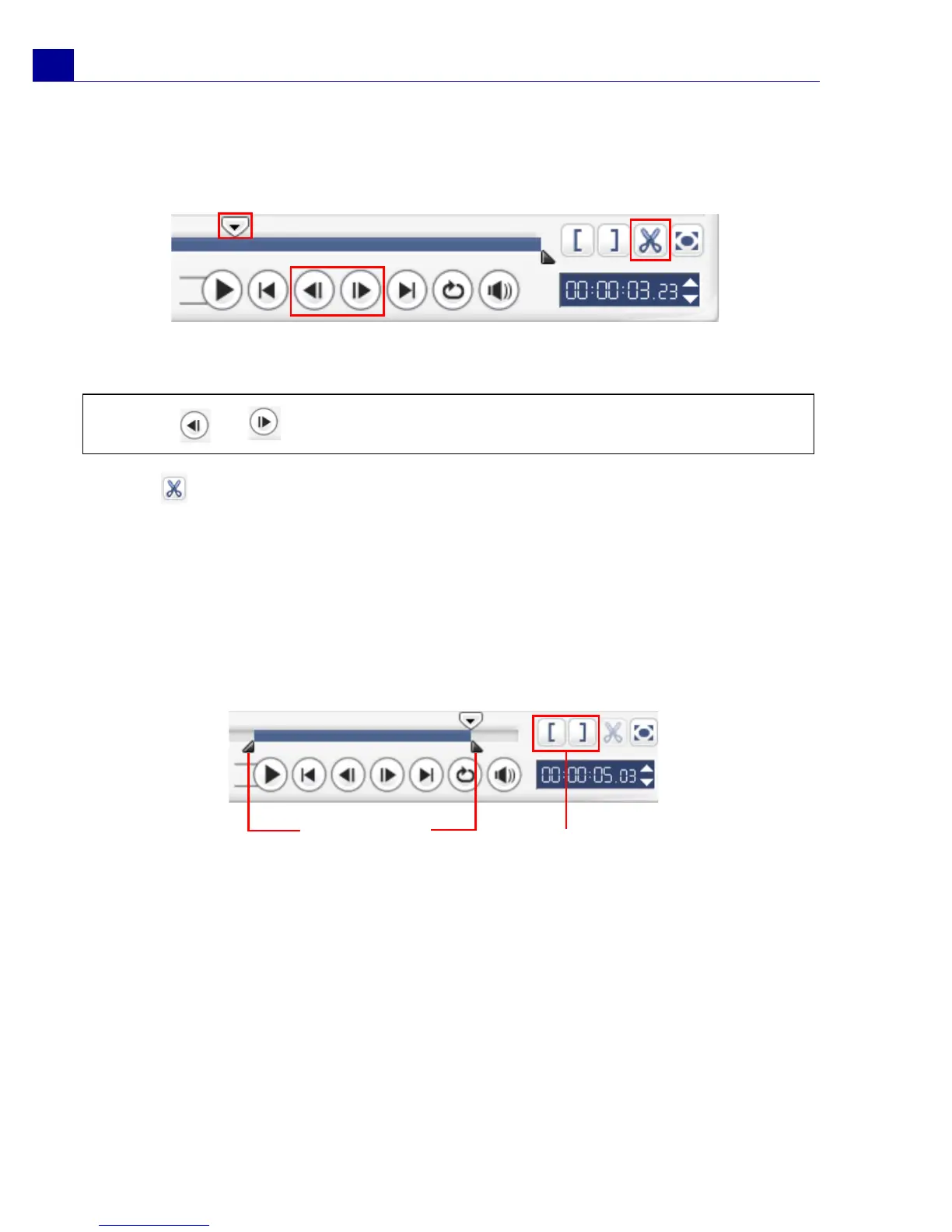
To split a clip into two:
1. Select the clip you want to split on the Storyboard or Timeline.
2. Drag the Jog Slider to the point where you want to cut the clip.
3. Click to cut the clip into two clips. To remove one of these clips, select the
unwanted clip and press [Delete].
To trim a clip with the Trim Handles:
1. Select a clip on the Storyboard or Timeline.
2. Click and drag the Trim handles to set the Mark-in/Mark-out points on the clip.
For more precise trimming, click on a Trim handle, hold it, and use the left or
right arrow keys on your keyboard to trim one frame at a time. .
To trim a clip directly on the Timeline:
1. Click a clip in the Timeline to select it.
Tip: Click or to set the cutting point more precisely.
Trim handles
Mark-in/
Mark-out



 To Next Page