ULEAD VIDEOSTUDIO USER GUIDE
8
The user interface
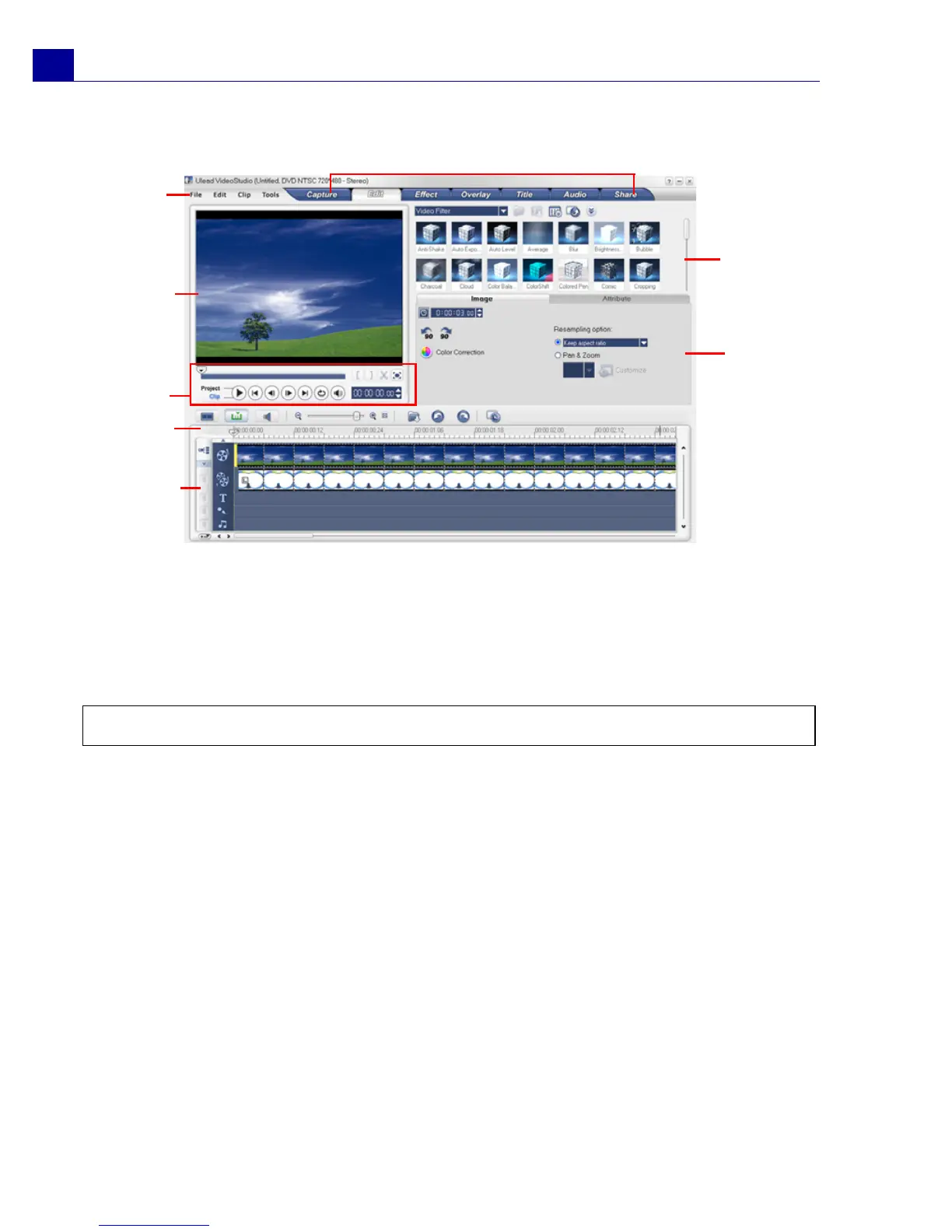
The Toolbar
The toolbar allows you to easily access buttons for editing.
The Project Timeline
There are three types of views for displaying the project timeline: Storyboard,
Timeline and Audio View. Click the buttons at the left side of the toolbar to switch
between different views.
1 Step Panel 2 Menu Bar
3Preview Window 4Navigation Panel
5Toolbar 6Project Timeline
7 Options Panel 8 Library
Note: To change the user interface layout, click Preferences: UI Layout.
1
2
3
4
5
6
7
8



 To Next Page