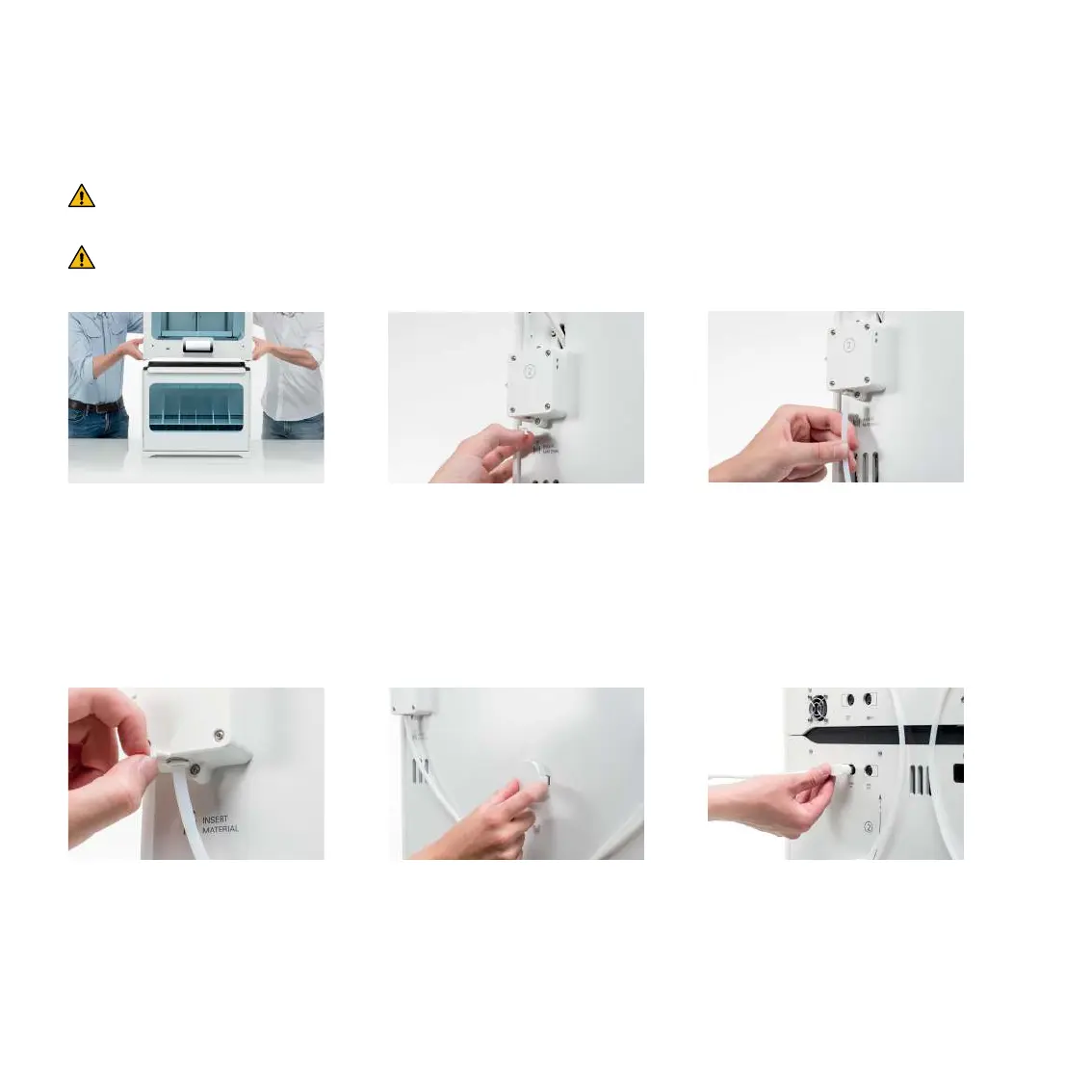
1. Carefully place the
Ultimaker S5 on top of
the Material Station
Install the Material Station
The Ultimaker S5 should be lifted by at least two people during installation.
2. Insert a tube coupling
collet in the bottom
of each feeder of
the Ultimaker S5
3. Insert the left Bowden
tube into the left
feeder, and the right
Bowden tube into
the right feeder
4. Secure the Bowden
tubes with clamp clips
5. Place the spool holder
cap into the hole for
the spool holder of
the Ultimaker S5
6. Connect the Material
Station cable to the
UMB IN port at the back
of the Material Station
Power o the Ultimaker S5 and remove the power cable, spool holder, and materials
during installation.



 To Next Page