SonixTouch Service Manual 00.053.058, Revision D Chapter 7: Field Service Components
7-33
To Remove the Front Block/Ultrasound Module:
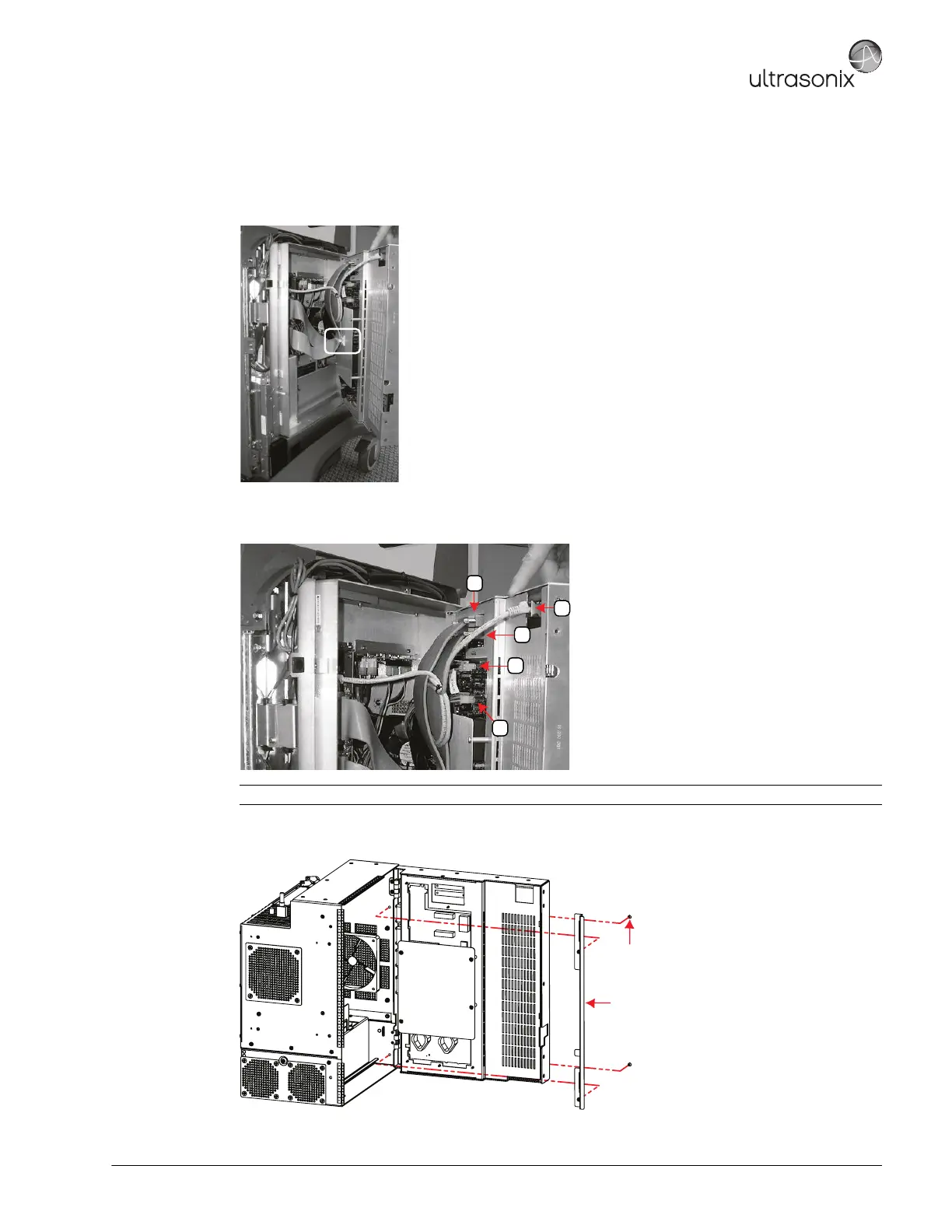
1. With the Front Block/Ultrasound Module partially open, locate the cable tie securing the PCI cables to the
inside of the door. Reach in and carefully cut the cable tie securing the ribbon cables to the interior of the
modulo door.
2. Once the cable tie is removed, open the Front Block/Ultrasound Module wider and disconnect the five (5)
attached cables.
3. Open the door wider to expose the Side EMI Strip. Using the #2 Phillips screwdriver, from the exterior of the
modulo, remove the two (2) screws fastening the Side EMI Strip over the door hinges.
4. Remove the modulo door hinge cover from inside the modulo and expose the two (2) hinges.
Note: To avoid confusion during reinstallation label the cables as each one is detached.
Intake Side EMI Strip
UXID: 00.030.340
M4x6 Flat Head Screw (x2)
Tool: #2 Phillips screwdriver



 To Next Page