Chapter 7: Field Service Components 00.053.058, Revision D SonixTouch Service Manual
7-20
7.4.2 Installing the Modulo
Equipment/Tools Required:
• 4mm Allen key
• 10mm wrench
• 7mm wrench
• #2 Phillips screwdriver
• cable ties.
To Install the Modulo:
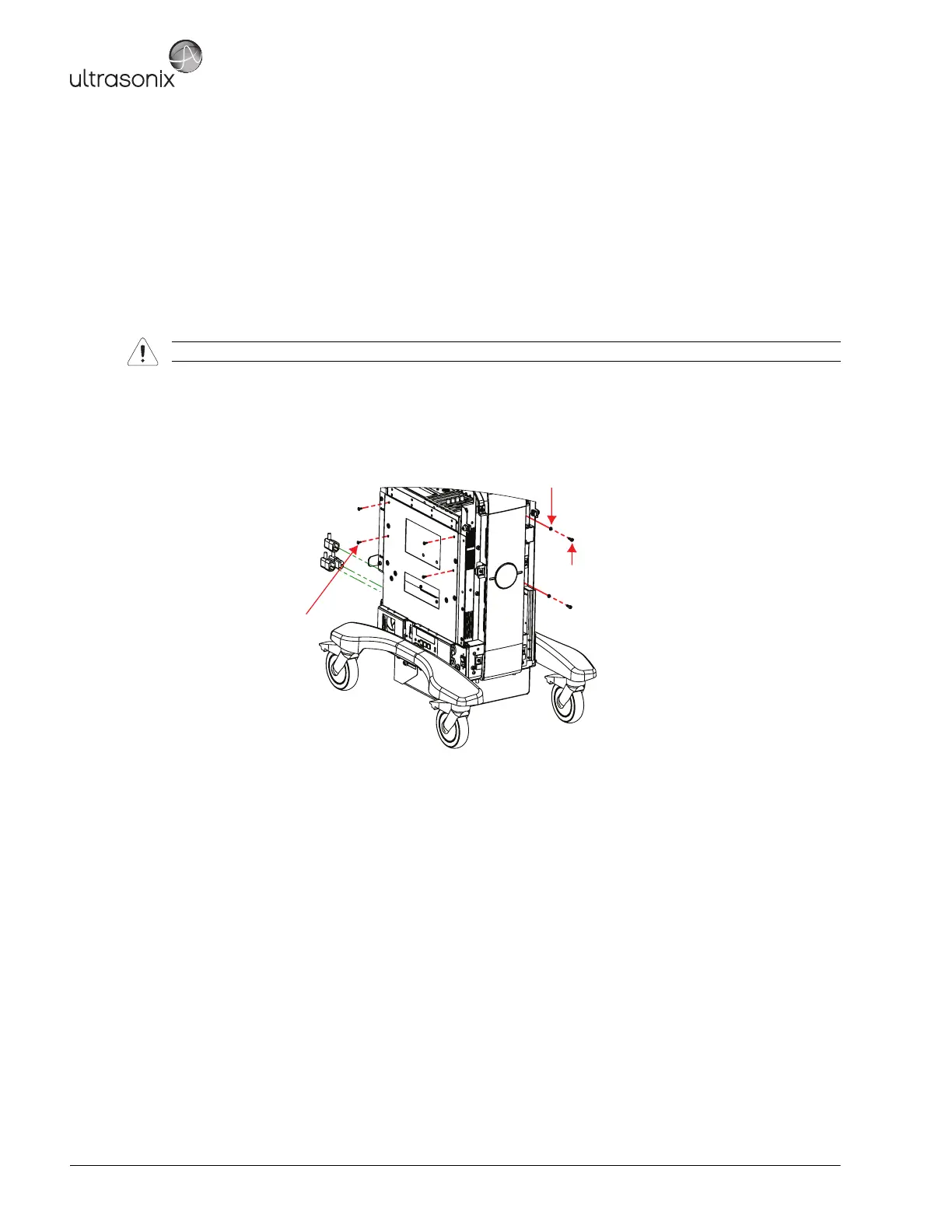
1. Slide the modulo into the side opening with the transducer connectors facing right.
2. Push the modulo into position so the four (4) bolt holes line up, then, using the #2 Phillips screwdriver, fasten
the four (4) screws securing the modulo to the side system frame.
3. Using the 4mm Allen key, fasten the two (2) screws and washers securing the modulo to the front of the
system frame.
Warning: Do not perform any internal system maintenance if the UPS breakers are turned on.
M4x8 Pan Head Screw (x4)
Tool: #2 Phillips screwdriver
M5 Split Lock Washer (x2)
M5x12 Socket Head Screw (x2)
Tool: 4mm Allen key



 To Next Page