22
TELETEXT OPERATION
Teletext is a service offered by some
broadcasters.
Teletext Operation
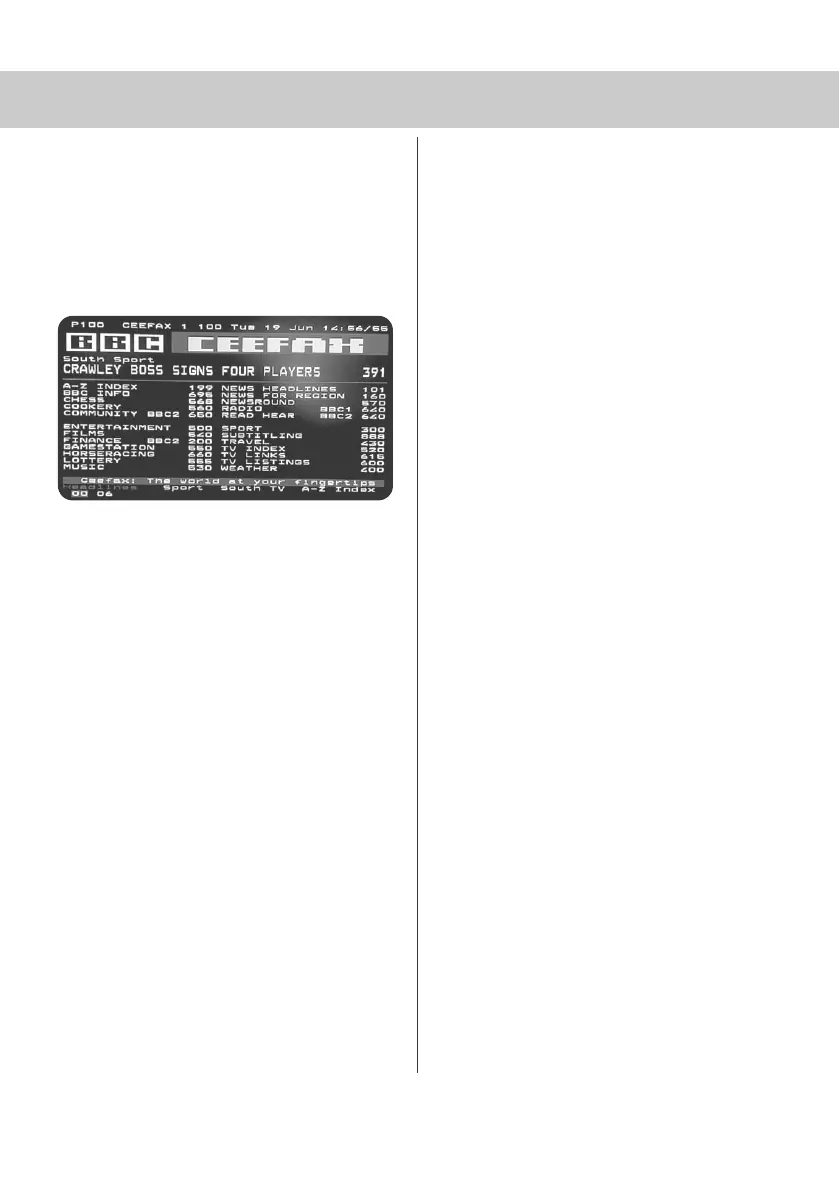
1) Press [TEXT], after a few seconds
teletext page 100 should appear.
Here is an example of BBC1
2) You can now navigate to the page
you require in a number of ways:
a) Press the page you require using
the number buttons i.e. page 302,
by pressing [3][0][2]
b) Press the colour buttons, these will
take you to the page indicated at the
foot of the screen for each colour
c) Press [CH+] or [CH-] these will
take you to next page. i.e. if you
are on page 150 and you press
[PGDN] the page will switch to 149
3) To exit Teletext press [TEXT] twice
at any time
Other buttons
[SIZE] this increases or decreases the
size of the text on screen
[INDEX] some pages are more than one
page long this button displays
the number of pages
[REVEAL] if there is an answer or
something hidden this will display it
[SUBPAGE] displays the sub page
if it exists
19_18 english manual 22.pdf 4. 5. 2009 9:52:42


 To Next Page